File list
This special page shows all uploaded files.

| Date | Name | Thumbnail | Size | User | Description | Versions |
|---|---|---|---|---|---|---|
| 23:57, 14 October 2026 | AB7BS ASL disconnect.png (file) |  |
45 KB | KN6DWI | A screenshot of the Allmon3 dashboard, showing that the user's node is connected to node 47178. The direction is "OUT," and the connect state is "ESTABLISHED." The disconnect button is highlighted with a red square. | 1 |
| 22:41, 14 October 2026 | AB7BS ASL connected.png (file) |  |
46 KB | KN6DWI | A screenshot of the Allmon3 dashboard, showing that the user's node is connected to node 47178. The direction is "OUT," and the connect state is "ESTABLISHED." | 1 |
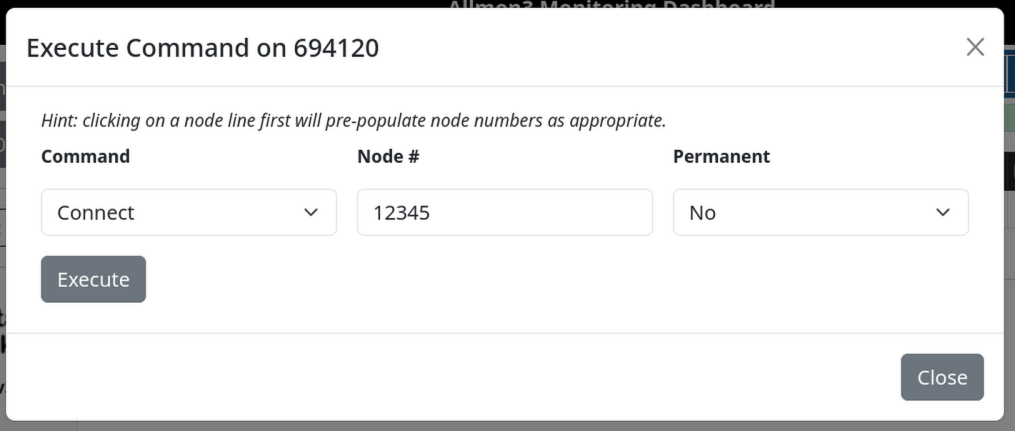
| 19:02, 14 October 2026 | Link connect dialogue.png (file) |  |
80 KB | KN6DWI | Wider screenshot includes small amount of backtround around the edges, so that the borders between the screenshot and the rest of the page are more clear. | 2 |
| 18:28, 14 October 2026 | Linking commands.png (file) |  |
14 KB | KN6DWI | Cropped out extraneous UI bits | 2 |
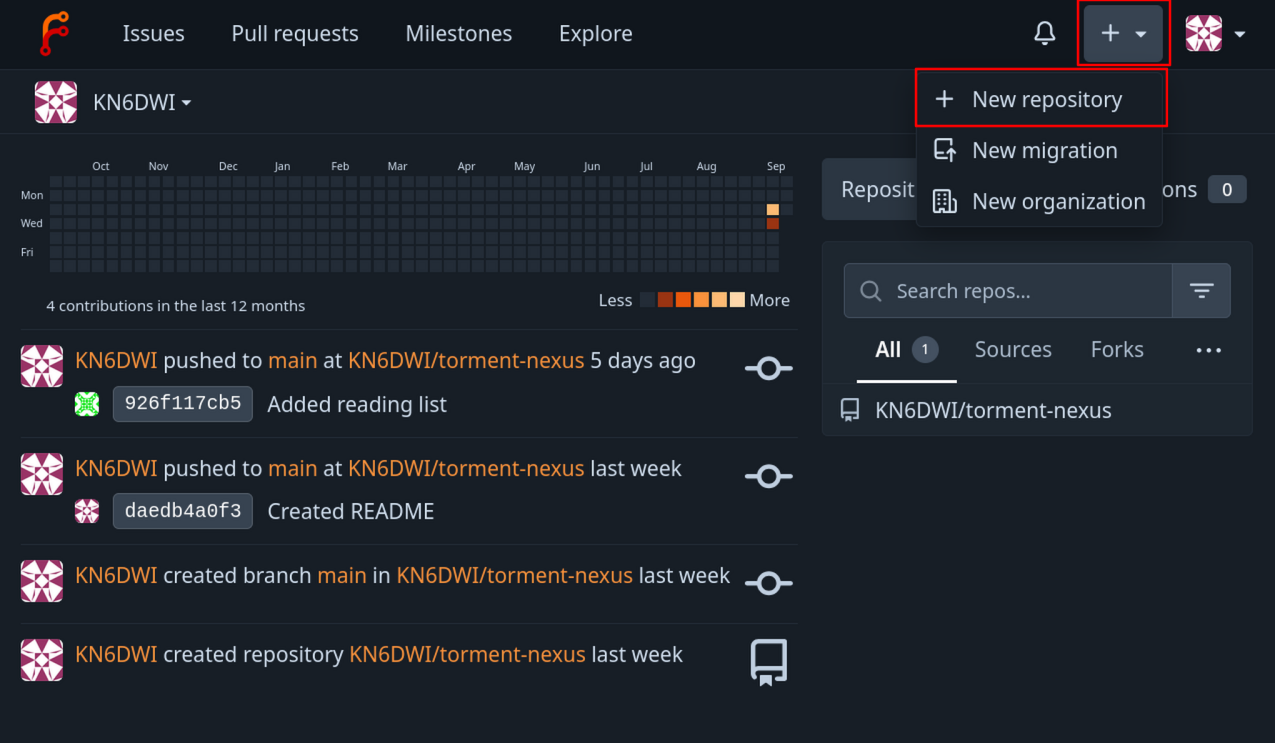
| 18:41, 15 September 2026 | Forgejo create repo.png (file) |  |
301 KB | KN6DWI | A screenshot of the Forgejo homepage. The create button and the new repository button are highlighted by red rectangles. | 1 |
| 23:23, 14 September 2026 | Forgejo clone ssh.png (file) |  |
23 KB | KN6DWI | A screenshot of the SSH git clone URL on a forgejo repository. | 1 |
| 23:18, 14 September 2026 | Forgejo clone http.png (file) |  |
23 KB | KN6DWI | A screenshot of the HTTP git clone URL on a forgejo repository. | 1 |
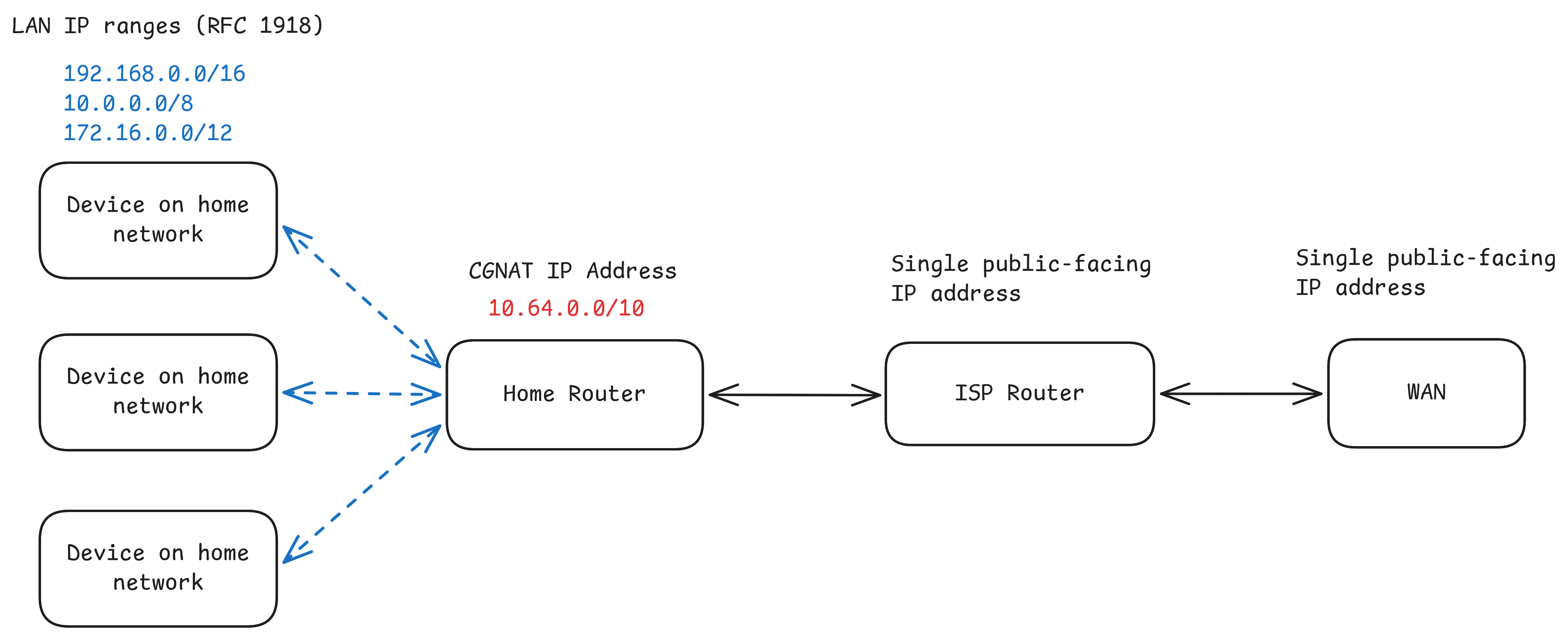
| 00:17, 29 August 2026 | CGNAT network.png (file) |  |
278 KB | KN6DWI | A diagram illustrating the network topology involved in CGNAT. Hosts behind the home router receive RFC1918 addresses, the home router receives a CGNAT address, and its traffic is translated to a public-facing address by the ISP address before being routed on the WAN. | 1 |
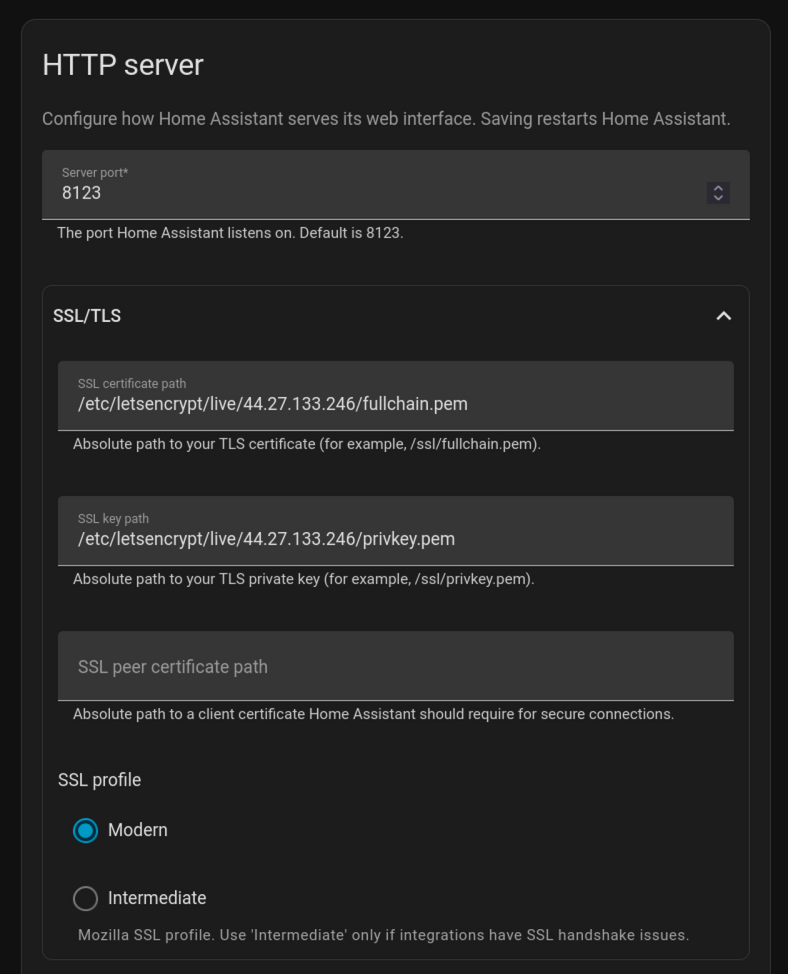
| 22:29, 19 August 2026 | Home Assistant TLS Settings.png (file) |  |
163 KB | KN6DWI | A screenshot of the HTTP server section in Network Settings for Home Assistant. | 1 |
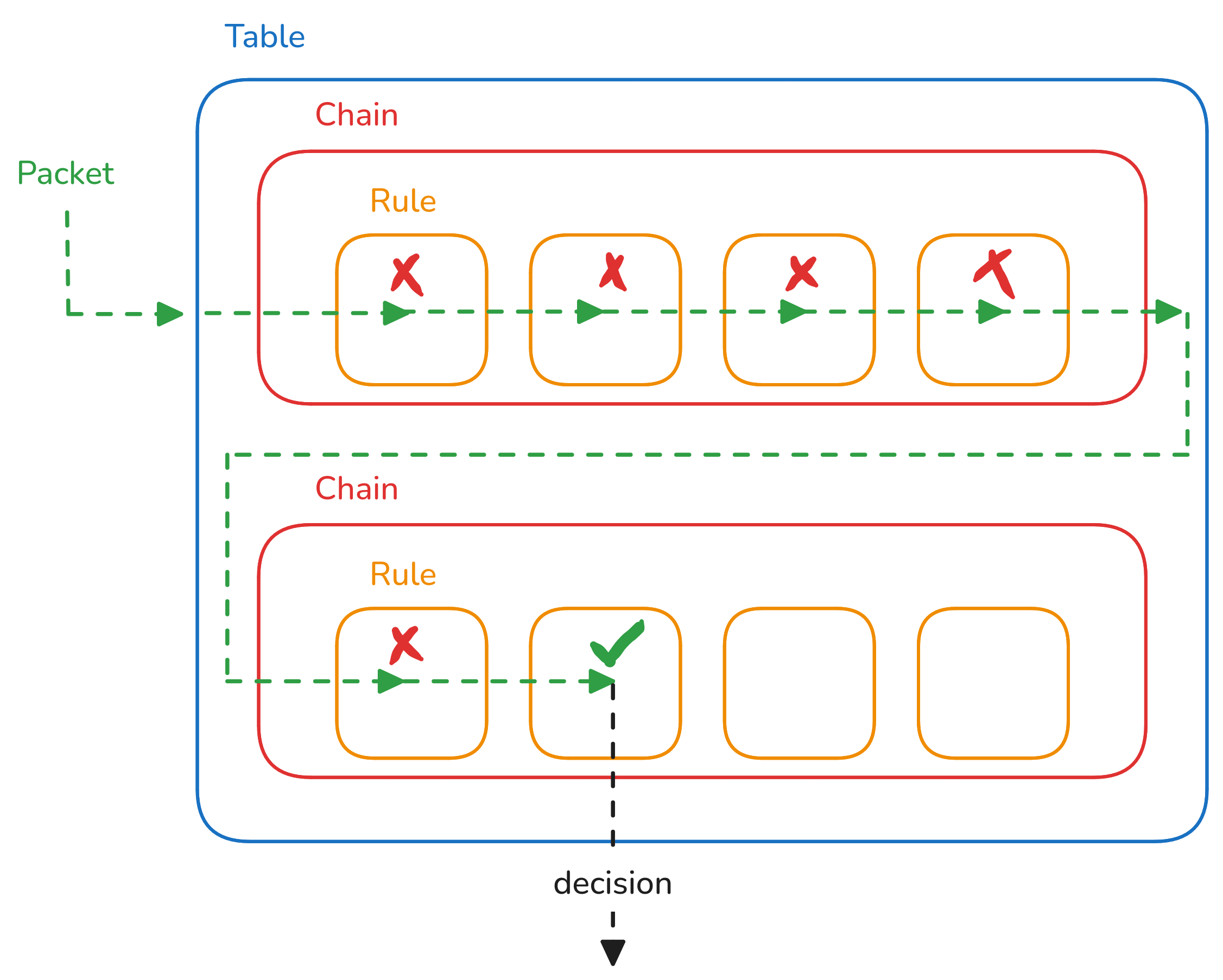
| 23:13, 22 July 2026 | Netfilter.png (file) |  |
182 KB | KN6DWI | A diagram illustrating the table, chain, and rule hierarchy used by the netfilter packet filtering framework. | 1 |
| 00:10, 14 July 2026 | Pfsense wireguard status.png (file) |  |
99 KB | KN6DWI | A screenshot of the PFSense WireGuard status page. There is a green handshake icon, and the latest handshake was 1 minute 54 seconds ago. | 1 |
| 00:07, 14 July 2026 | Pfsense peer allowed ips.png (file) |  |
304 KB | KN6DWI | A side-by-side view of the PFsense WireGuard peer configuration page and a wg-quick configuration file. Red arrows show where to copy allowed IPs from the configuration file to the PFsense configuration page. | 1 |
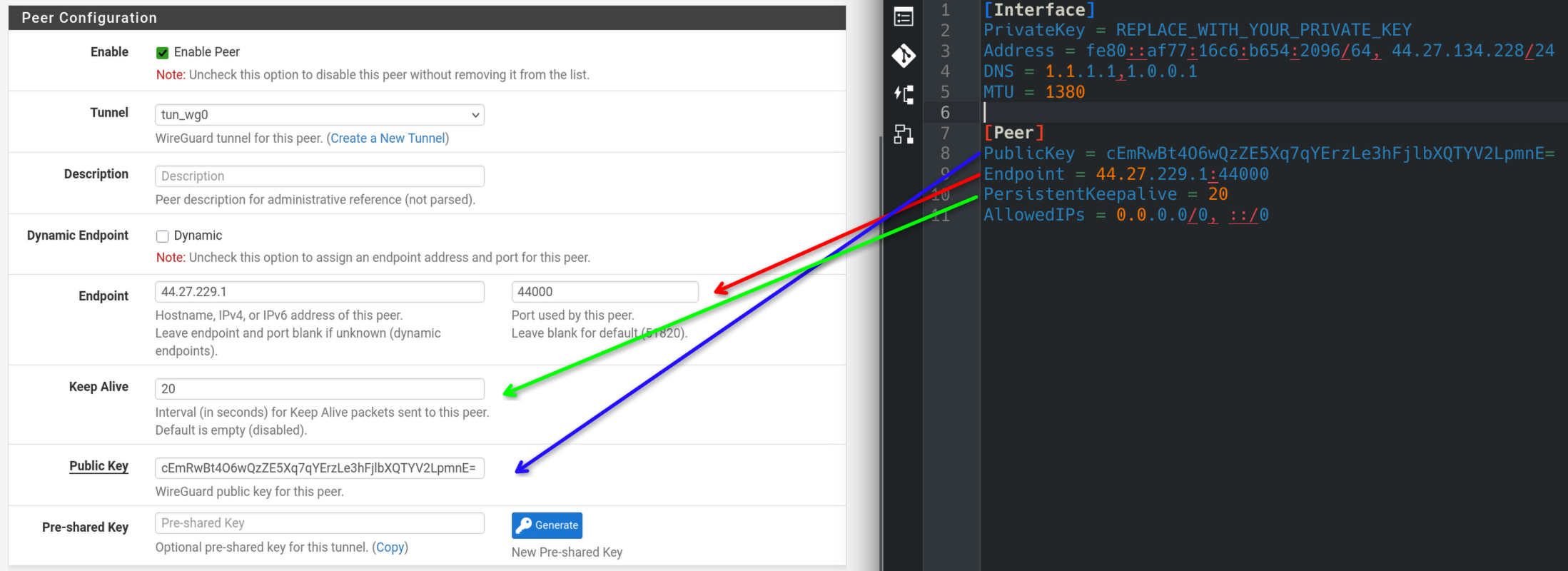
| 00:02, 14 July 2026 | Pfsense peer configuration.png (file) |  |
433 KB | KN6DWI | Updated to version with arrows instead of numbered dots | 2 |
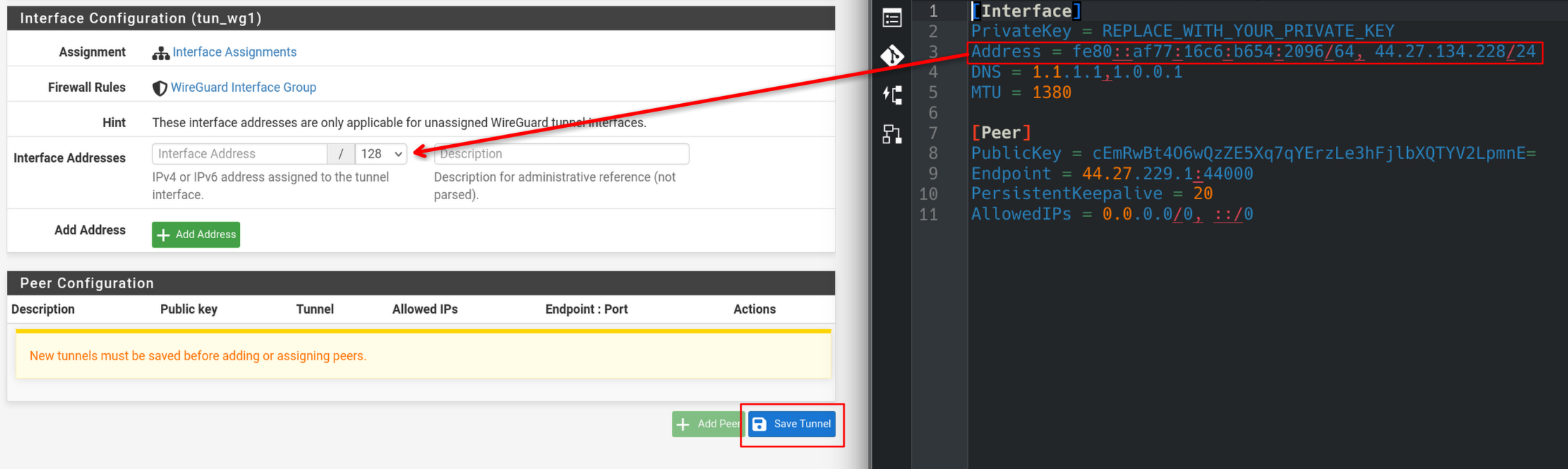
| 18:08, 13 July 2026 | Pfsense interface.png (file) |  |
331 KB | KN6DWI | A side-by-side view of the PFsense WireGuard interface configuration page, and a wg-quick config file opened in the Kate text editor. A red arrow indicates where one should copy the IP addresses from the config file into the configuration page. | 1 |
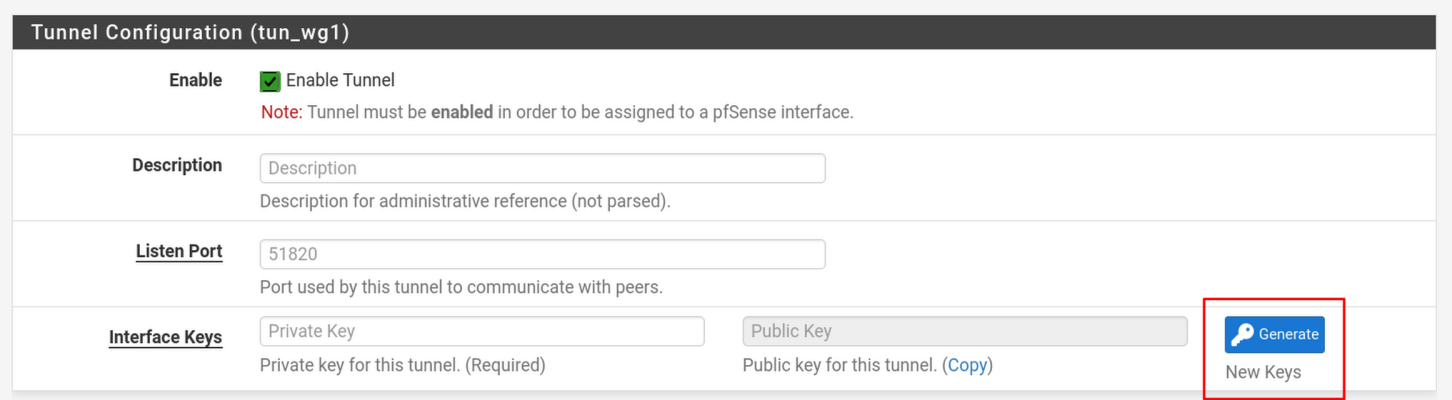
| 17:52, 13 July 2026 | Pfsense generate keypair.png (file) |  |
111 KB | KN6DWI | A screenshot of the PFsense WireGuard tunnel configuration page. The button to generate a new WireGuard keypair is highlighted with a red box. | 1 |
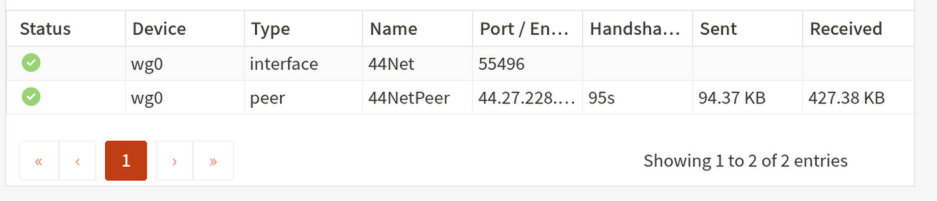
| 17:33, 8 July 2026 | Opnsense wireguard status.png (file) |  |
55 KB | KN6DWI | A screenshot of the OPNsense WireGuard status page. Both the interface and the peer show green checkmarks in the status column. | 1 |
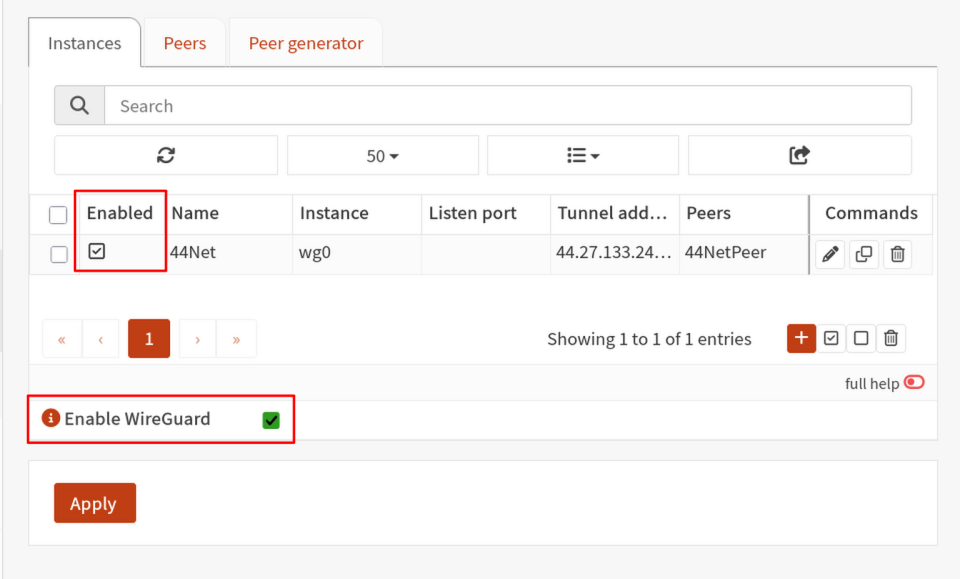
| 17:26, 8 July 2026 | Opnsense enable instance.png (file) |  |
81 KB | KN6DWI | A screenshot of the OPNsense WireGuard instances page, with the "Enable WireGuard" checkbox and enable instance checkbox highlighted with red rectangles. | 1 |
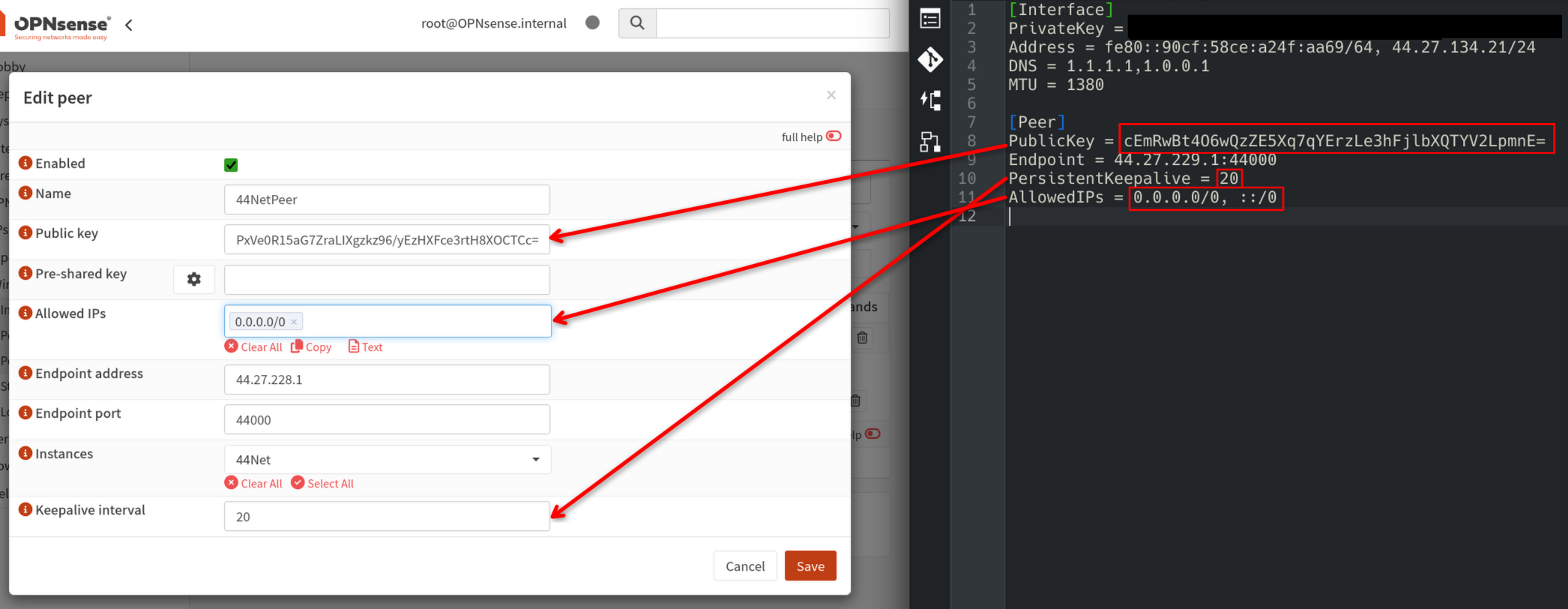
| 22:52, 7 July 2026 | Opnsense populate peer keepalive addresses.png (file) |  |
326 KB | KN6DWI | A side by side screenshot of the OPNsense peer configuration dialogue next to a WireGuard configuration file. Red arrows indicate where to copy the public key, keepalive interval, and allowed IPs from the config file to the OPNsense configuration dialogue. | 1 |
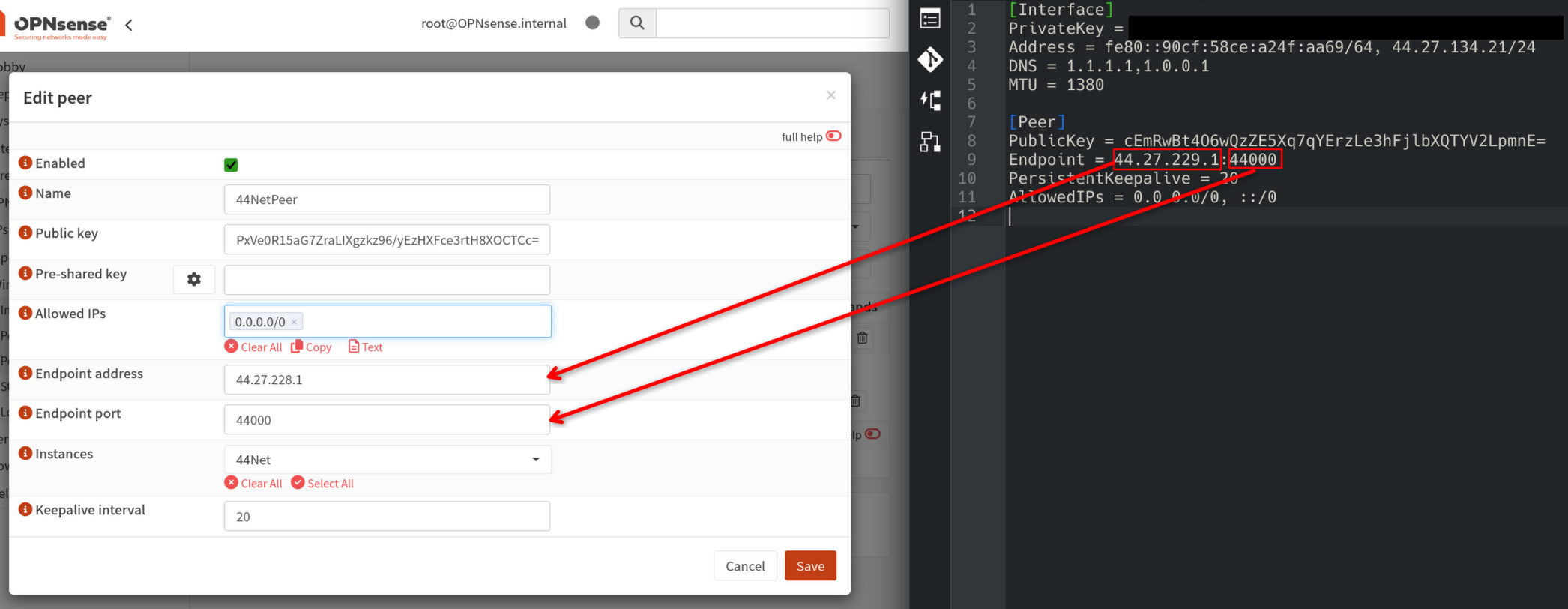
| 22:29, 7 July 2026 | Opnsense populate peer endpoint.png (file) |  |
316 KB | KN6DWI | A side by side screenshot of the OPNsense peer configuration dialogue next to a WireGuard configuration file. Two red arrows indicate where to copy the endpoint IP and port from the config file to the OPNsense configuration dialogue. | 1 |
| 21:57, 7 July 2026 | Opnsense populate instance.png (file) |  |
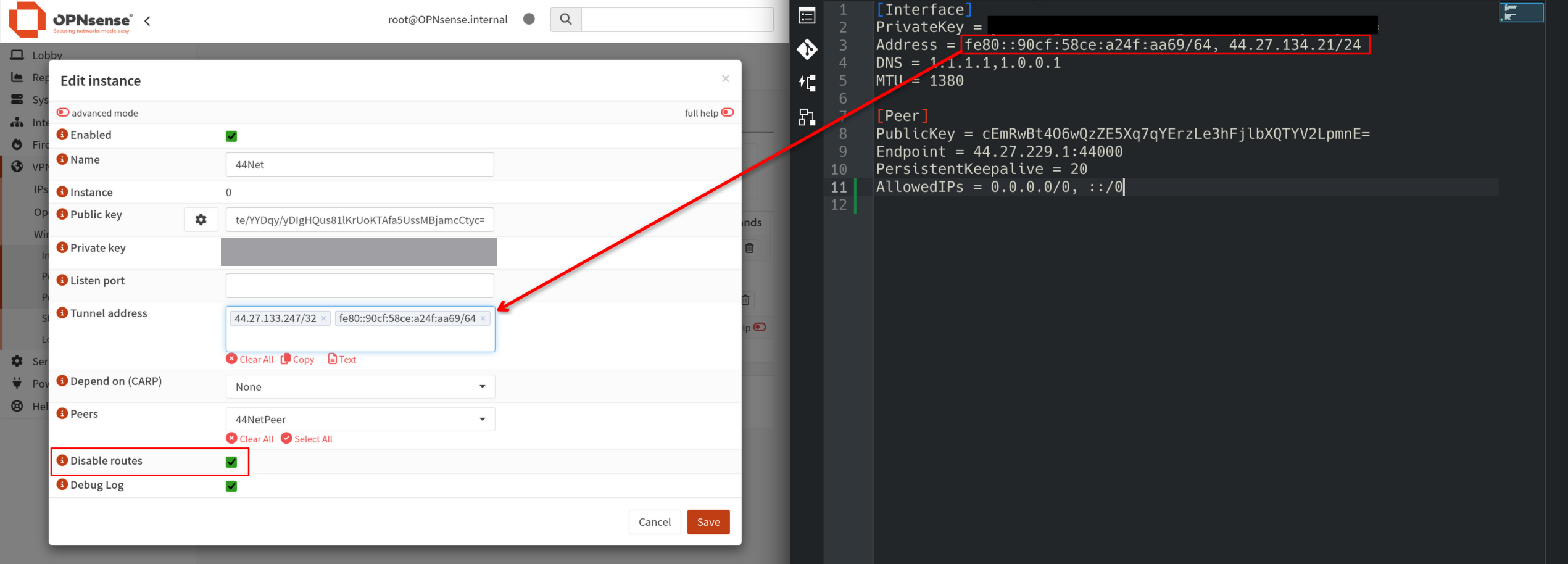
367 KB | KN6DWI | A screenshot with a side by side view of a WireGuard config file and an OPNsense WireGuard instance configuration page. A red arrow indicates how to copy the tunnel addresses from the config file to the OPNsense configuration page. A red rectangle indicates that the user should check the "Disable Routes" box. | 1 |
| 18:44, 7 July 2026 | Request tunnel 44net connect.png (file) |  |
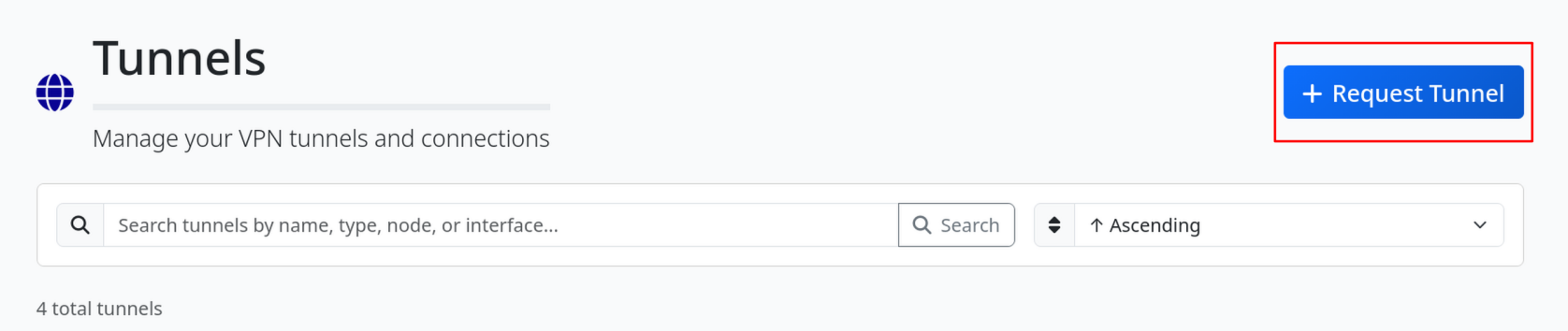
85 KB | KN6DWI | Screenshot of the 44Net Connect tunnel page header with the Request Tunnel button highlighted in a red box. | 1 |
| 17:50, 7 July 2026 | Opnsense keypair generation.png (file) |  |
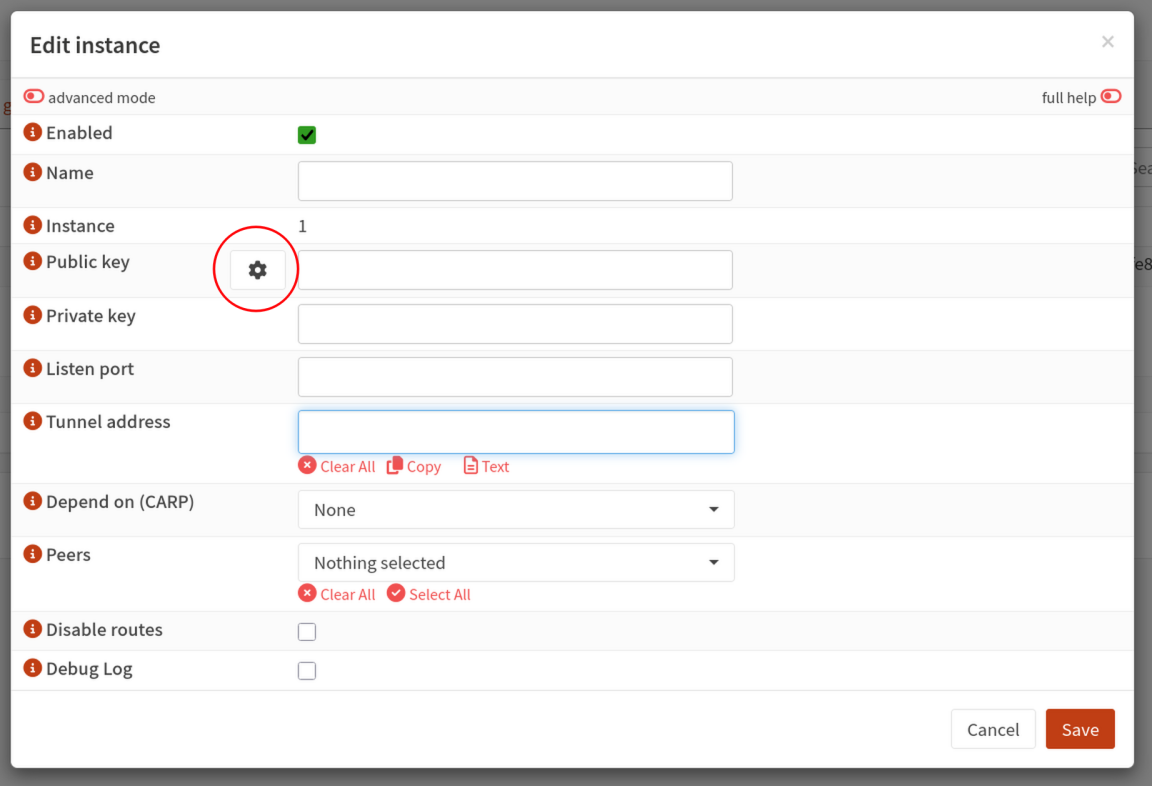
113 KB | KN6DWI | A screenshot of the OPNsense Edit Instance dialogue with the button for generating a WireGuard keypair circled in red. | 1 |
| 21:25, 4 June 2026 | Routed subnet.png (file) |  |
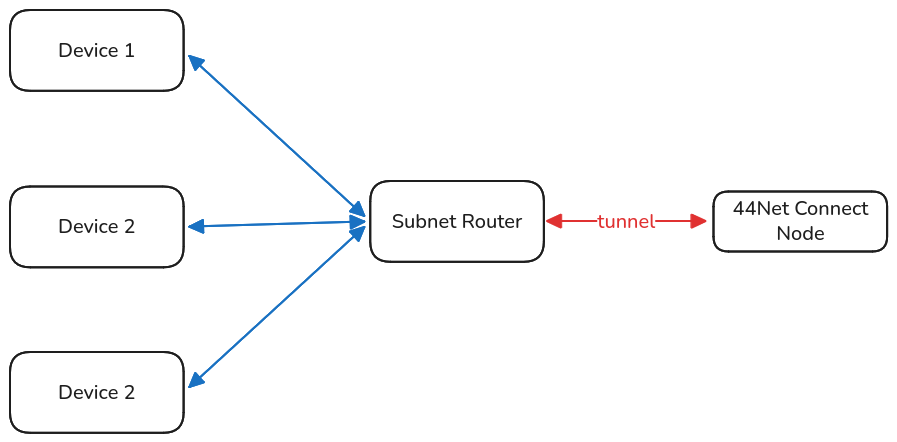
38 KB | KN6DWI | A network topology diagram illustrating three hosts connecting to a single 44Net node via a routed subnet. The three devices connect to the subnet router, which uses a WireGuard tunnel to connect to the 44Net node. | 1 |
| 21:05, 4 June 2026 | Single device tunnel.png (file) |  |
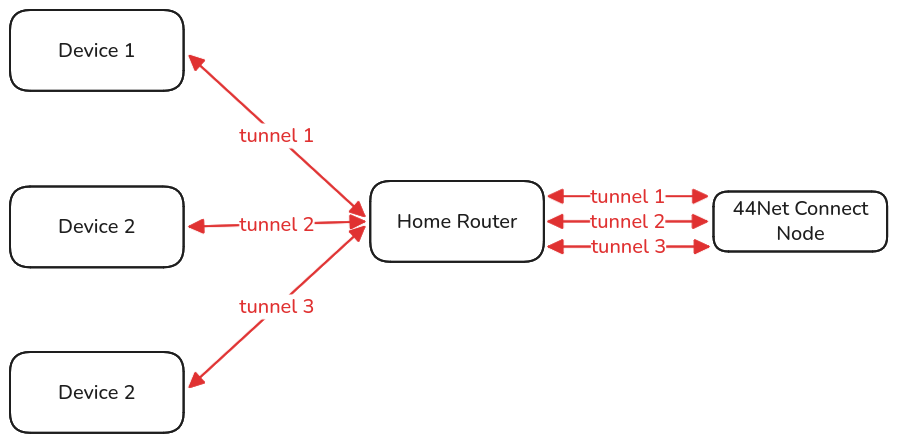
48 KB | KN6DWI | A diagram showing the network topology of three devices, each connecting to the same 44Net node via their own tunnel. | 1 |
| 18:31, 29 May 2026 | Wireguard tunnel connected.png (file) |  |
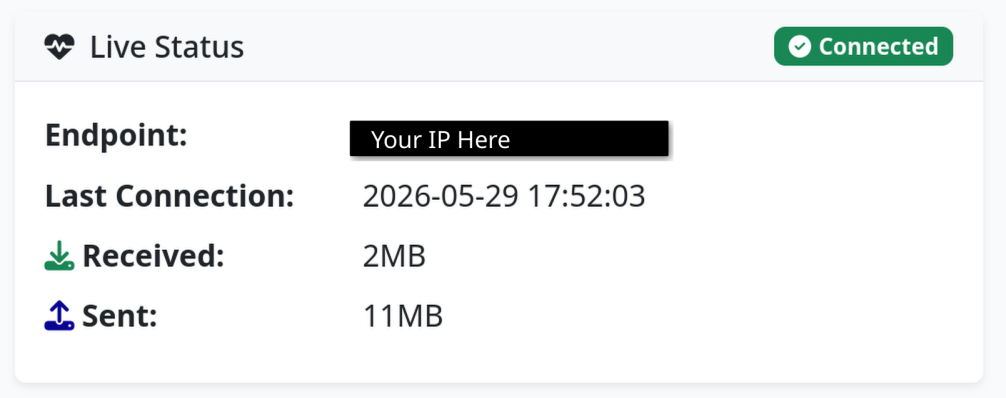
79 KB | KN6DWI | A screenshot of the 44Net Connect page for a single device WireGuard tunnel, showing that the device is connected. The "Endpoint" field is blacked out and overwritten with "Your IP Here." | 1 |
| 17:38, 29 May 2026 | Wireguard tunnel config.png (file) |  |
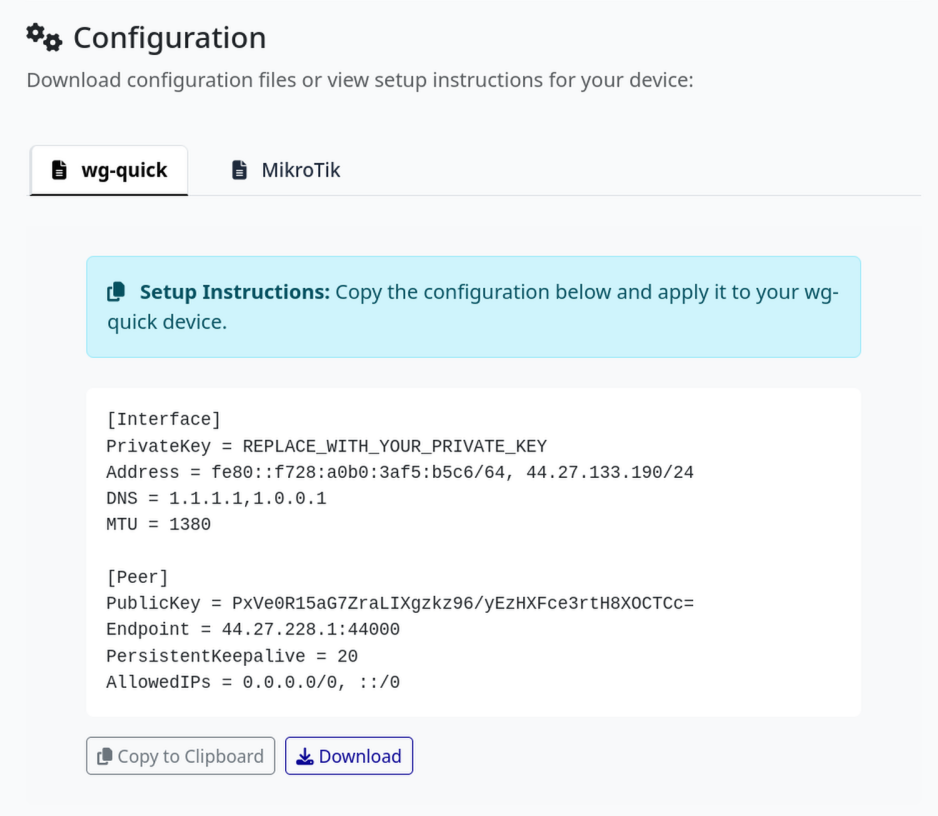
193 KB | KN6DWI | A screenshot of a WireGuard tunnel config from the 44Net Connect website. | 1 |
| 23:42, 4 March 2026 | 44Net Connect overview.png (file) |  |
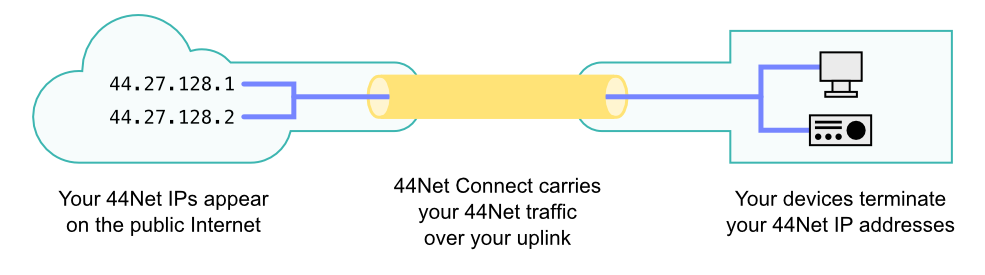
40 KB | KI5QKX | 1 | |
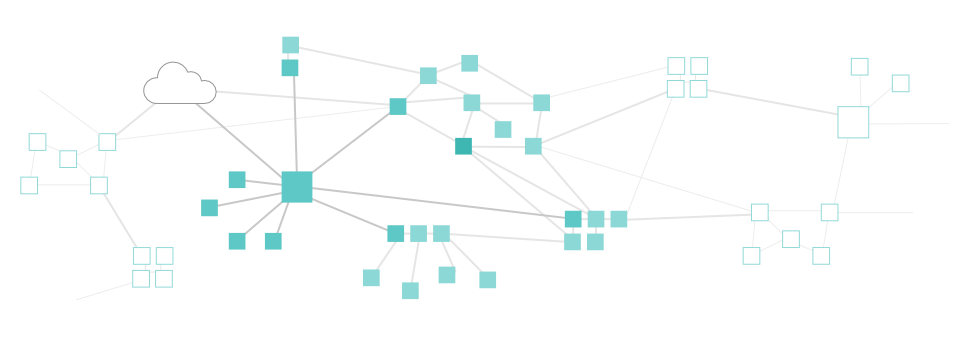
| 22:57, 24 February 2026 | Landscape.png (file) |  |
82 KB | KI5QKX | 3 | |
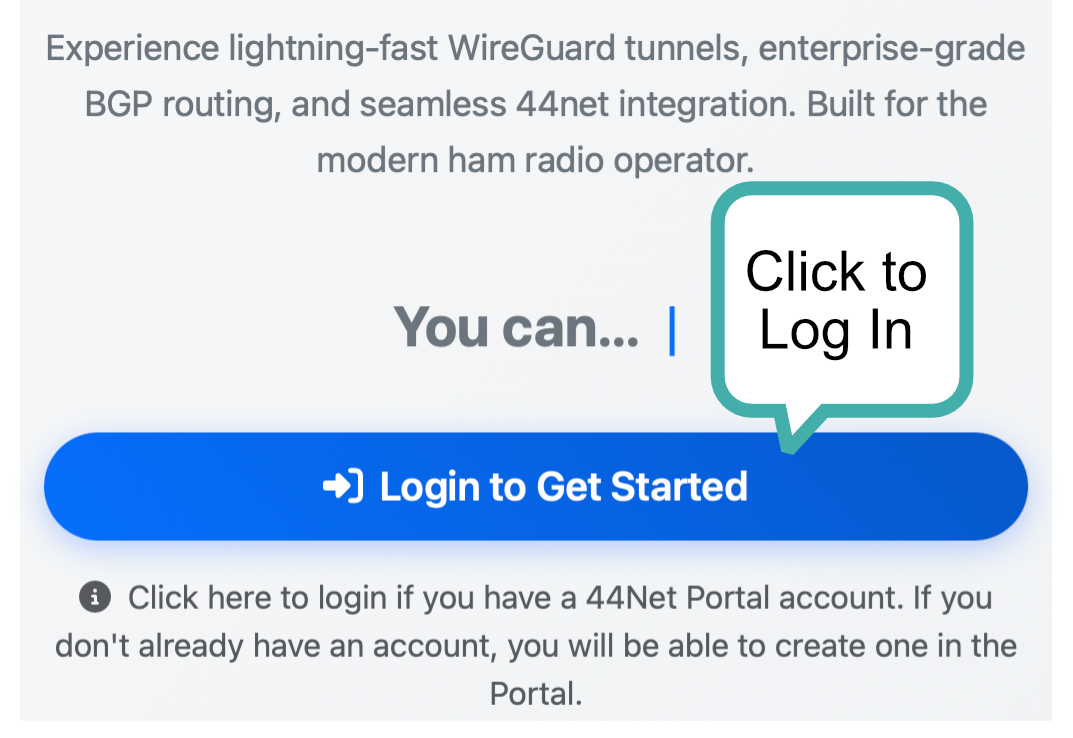
| 21:42, 24 February 2026 | Click to Log In.png (file) |  |
526 KB | KI5QKX | 1 | |
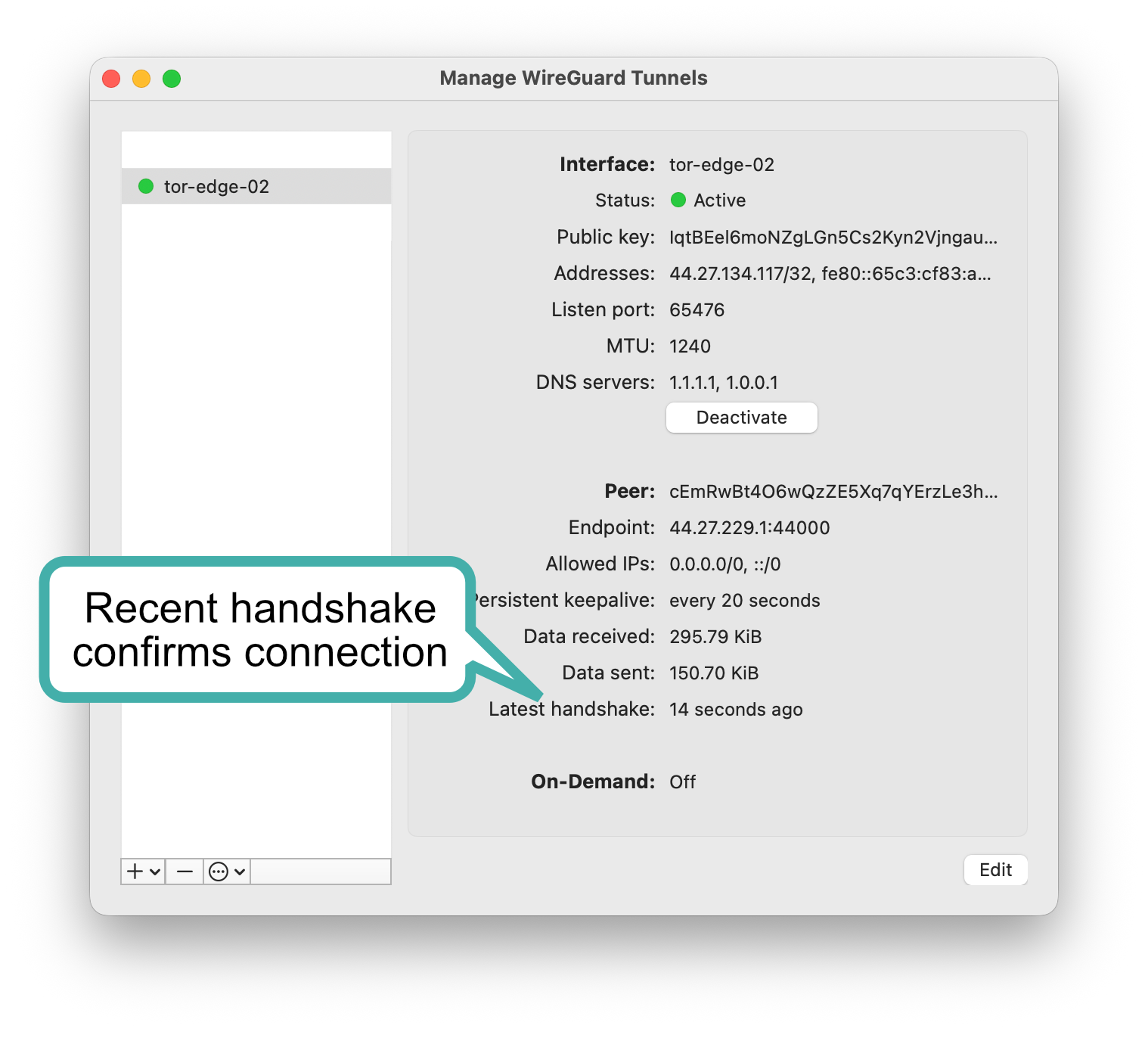
| 21:35, 24 February 2026 | Confirm.png (file) |  |
315 KB | KI5QKX | 1 | |
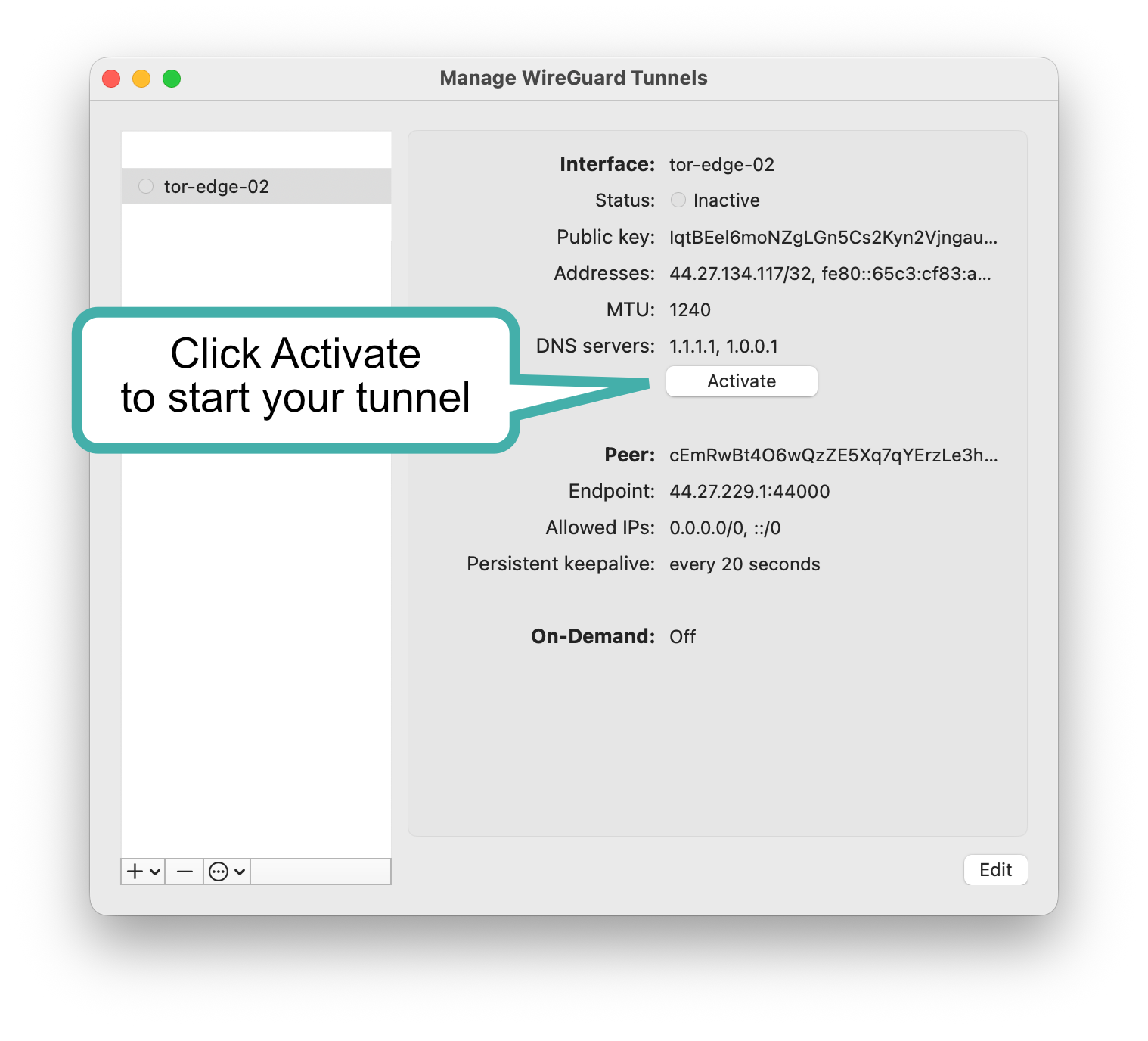
| 21:21, 24 February 2026 | Activate.png (file) |  |
286 KB | KI5QKX | 1 | |
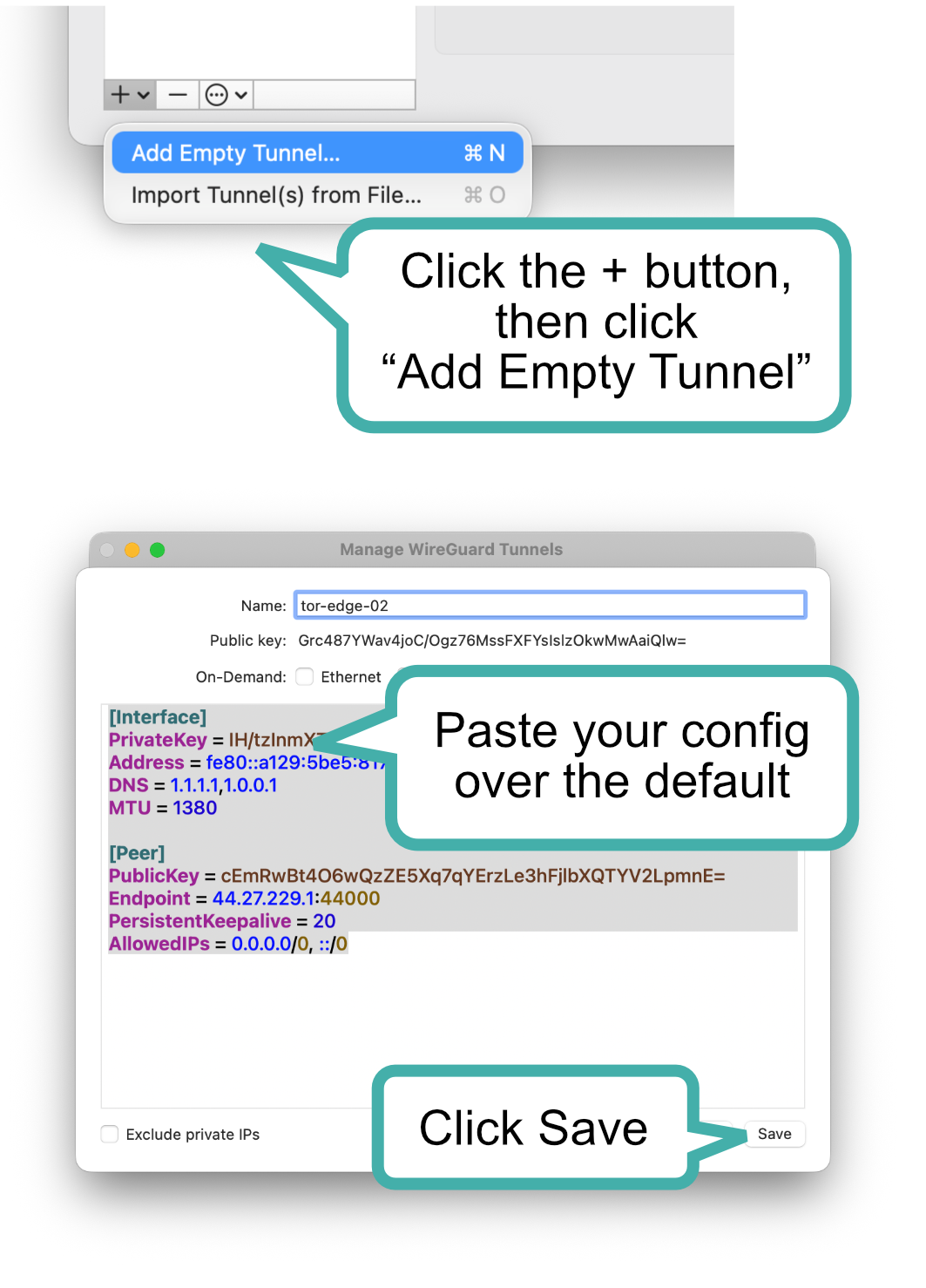
| 21:01, 24 February 2026 | Paste Configuration.png (file) |  |
394 KB | KI5QKX | 2 | |
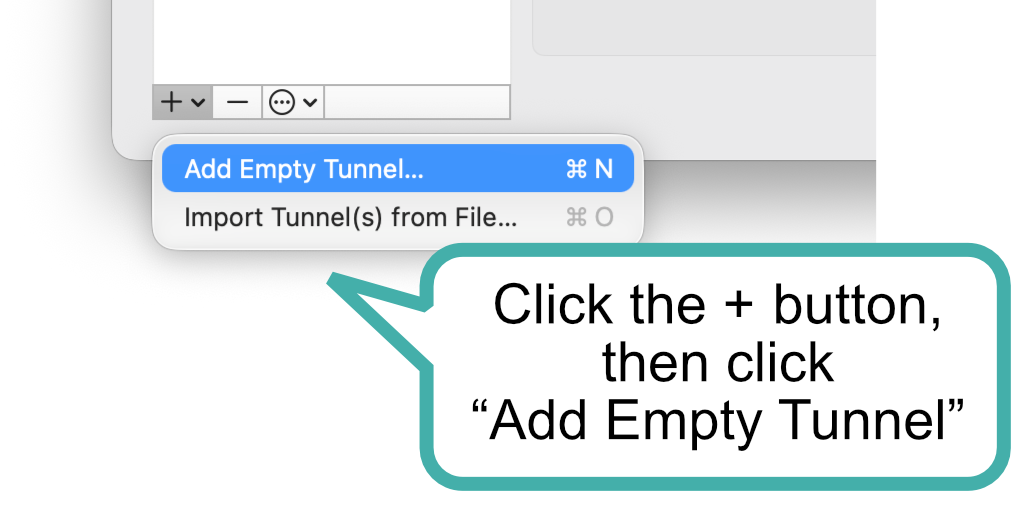
| 20:52, 24 February 2026 | Add Empty Tunnel.png (file) |  |
86 KB | KI5QKX | 1 | |
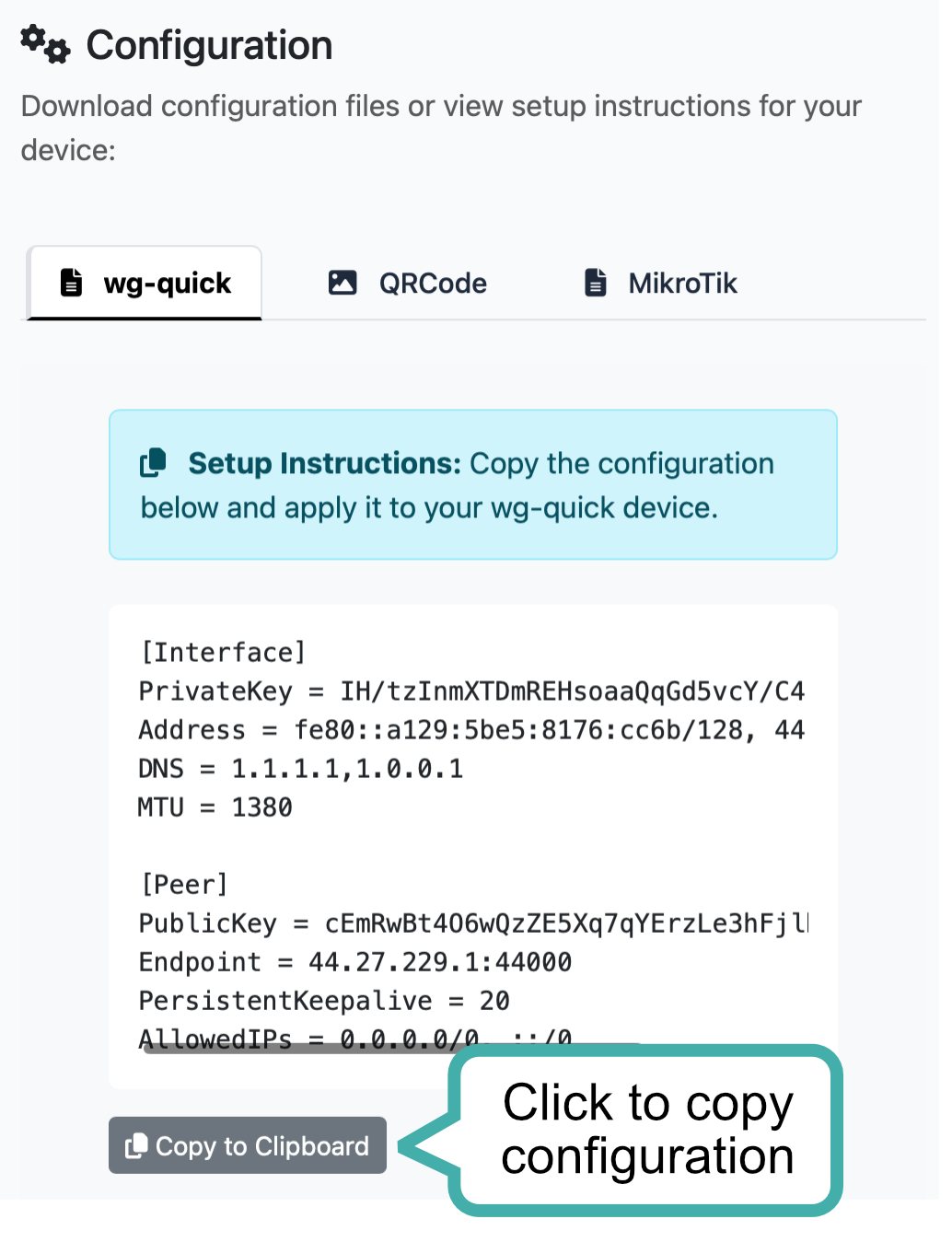
| 20:29, 24 February 2026 | Copy Configuration.png (file) |  |
220 KB | KI5QKX | 1 | |
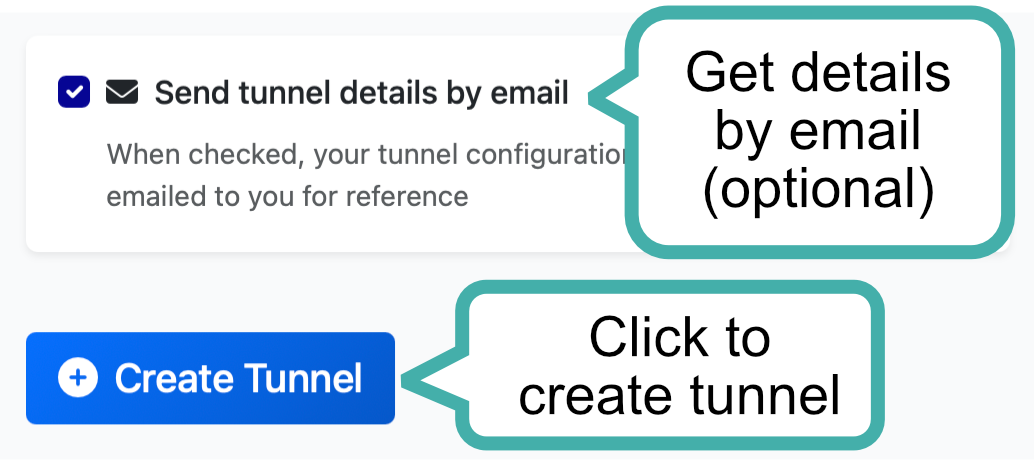
| 20:28, 24 February 2026 | Complete Tunnel Creation.png (file) |  |
117 KB | KI5QKX | 1 | |
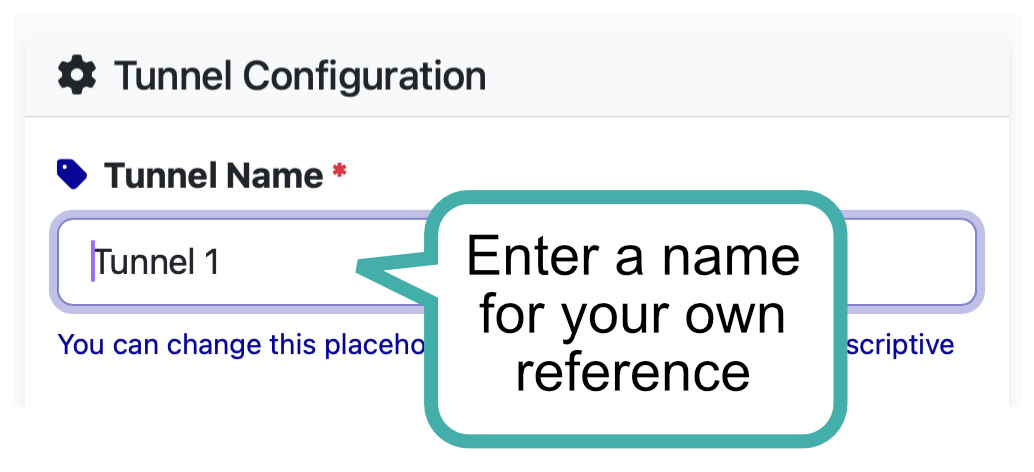
| 20:28, 24 February 2026 | Name Tunnel.png (file) |  |
62 KB | KI5QKX | 1 |