Uploads by KN6DWI
This special page shows all uploaded files.
| Date | Name | Thumbnail | Size | Description | Versions |
|---|---|---|---|---|---|
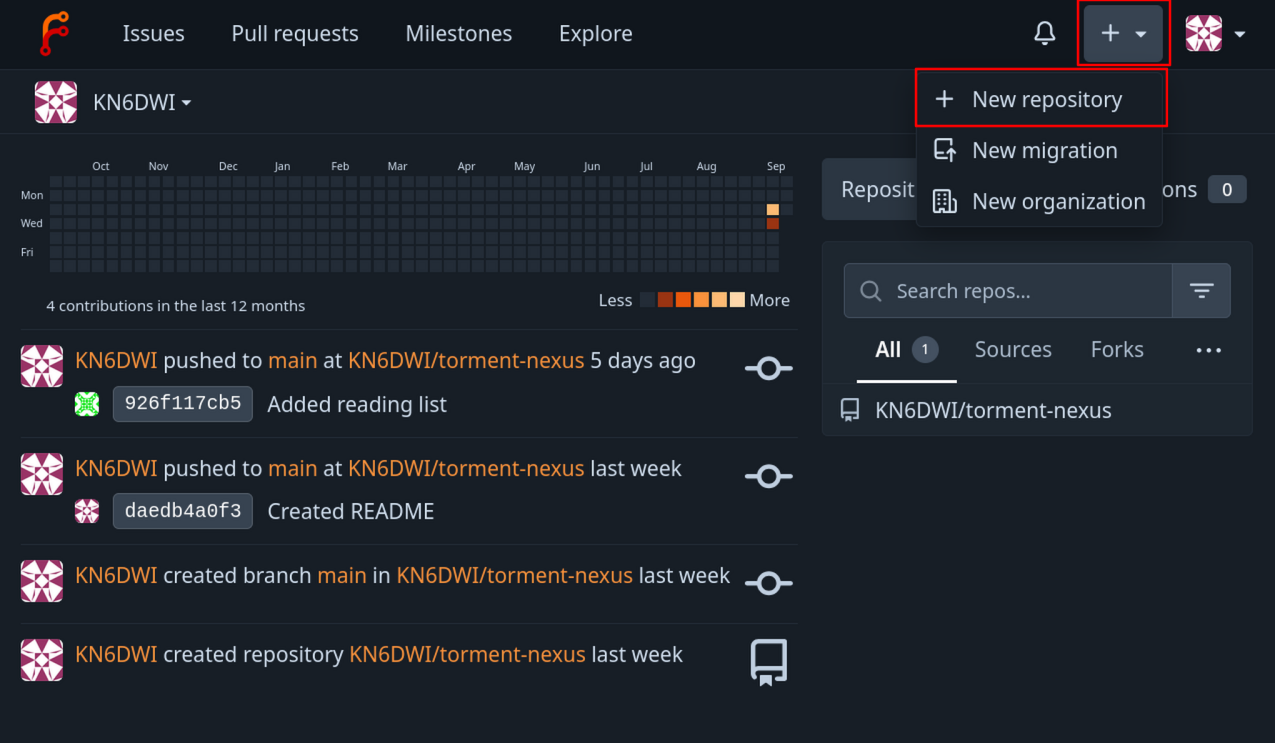
| 18:41, 15 September 2026 | Forgejo create repo.png (file) |  |
301 KB | A screenshot of the Forgejo homepage. The create button and the new repository button are highlighted by red rectangles. | 1 |
| 23:23, 14 September 2026 | Forgejo clone ssh.png (file) |  |
23 KB | A screenshot of the SSH git clone URL on a forgejo repository. | 1 |
| 23:18, 14 September 2026 | Forgejo clone http.png (file) |  |
23 KB | A screenshot of the HTTP git clone URL on a forgejo repository. | 1 |
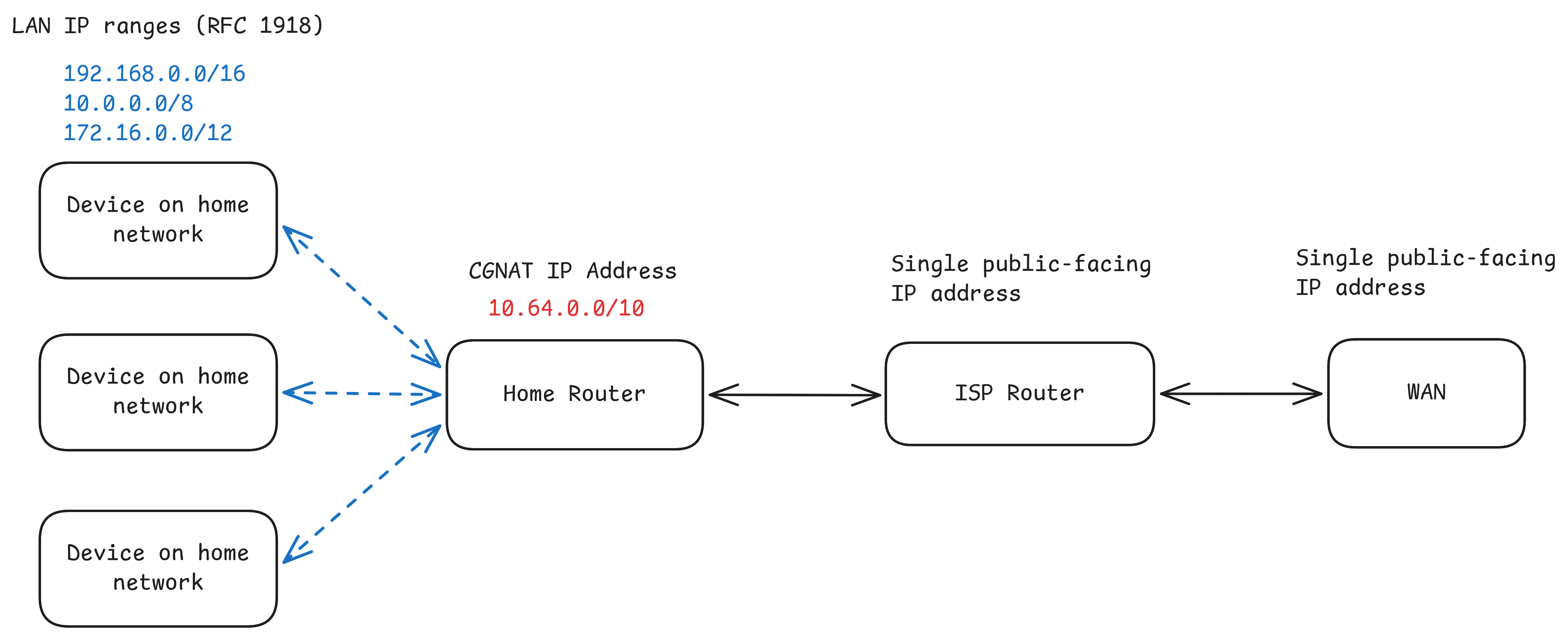
| 00:17, 29 August 2026 | CGNAT network.png (file) |  |
278 KB | A diagram illustrating the network topology involved in CGNAT. Hosts behind the home router receive RFC1918 addresses, the home router receives a CGNAT address, and its traffic is translated to a public-facing address by the ISP address before being routed on the WAN. | 1 |
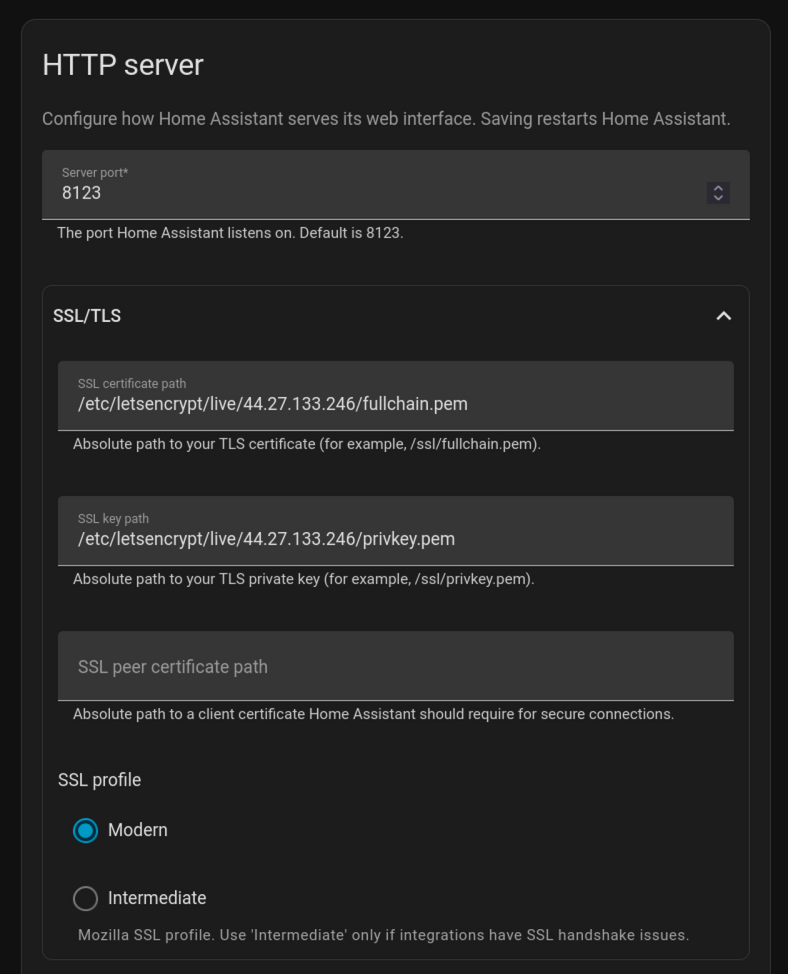
| 22:29, 19 August 2026 | Home Assistant TLS Settings.png (file) |  |
163 KB | A screenshot of the HTTP server section in Network Settings for Home Assistant. | 1 |
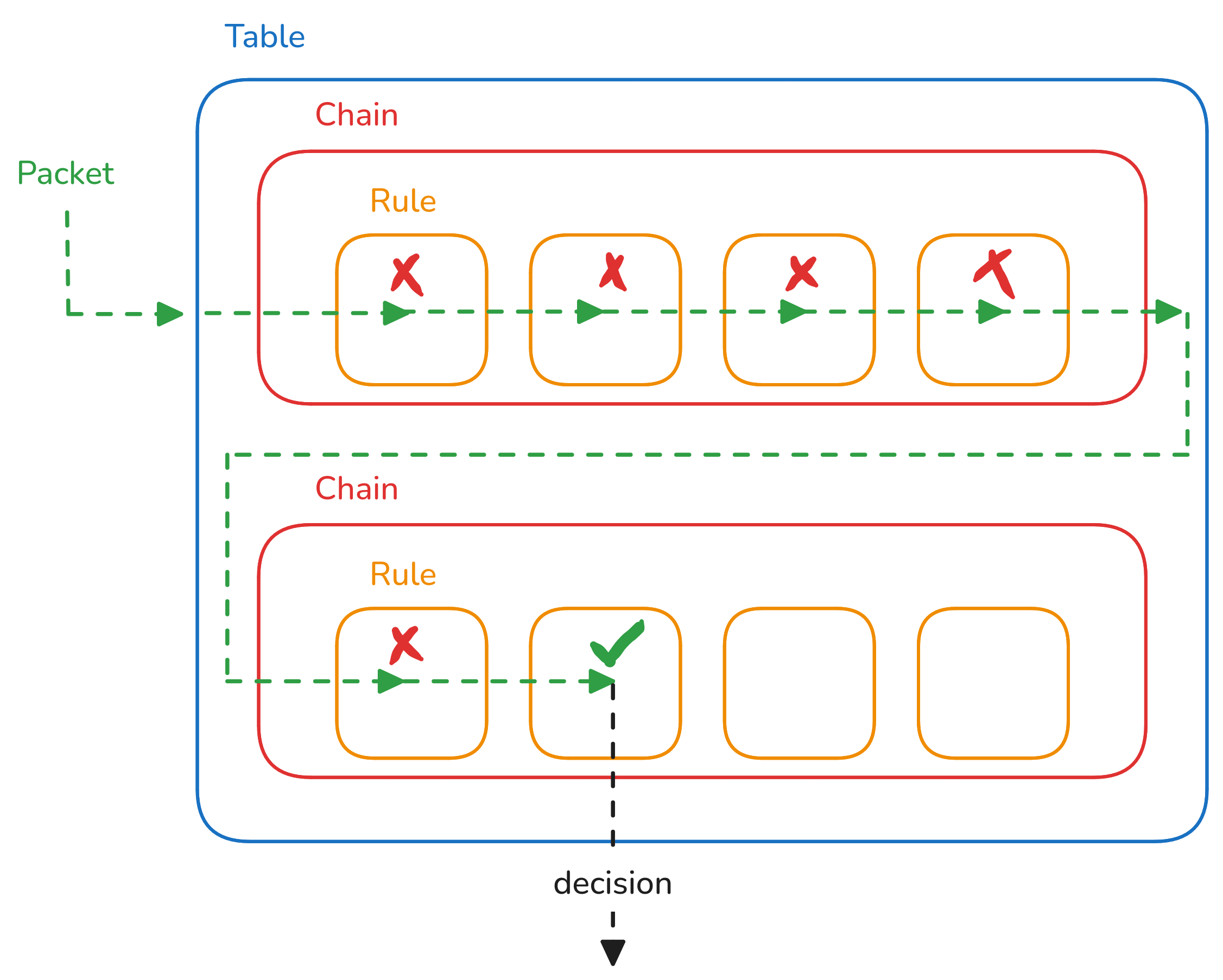
| 23:13, 22 July 2026 | Netfilter.png (file) |  |
182 KB | A diagram illustrating the table, chain, and rule hierarchy used by the netfilter packet filtering framework. | 1 |
| 00:10, 14 July 2026 | Pfsense wireguard status.png (file) |  |
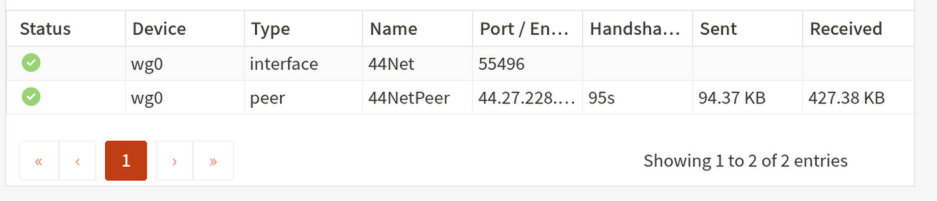
99 KB | A screenshot of the PFSense WireGuard status page. There is a green handshake icon, and the latest handshake was 1 minute 54 seconds ago. | 1 |
| 00:07, 14 July 2026 | Pfsense peer allowed ips.png (file) |  |
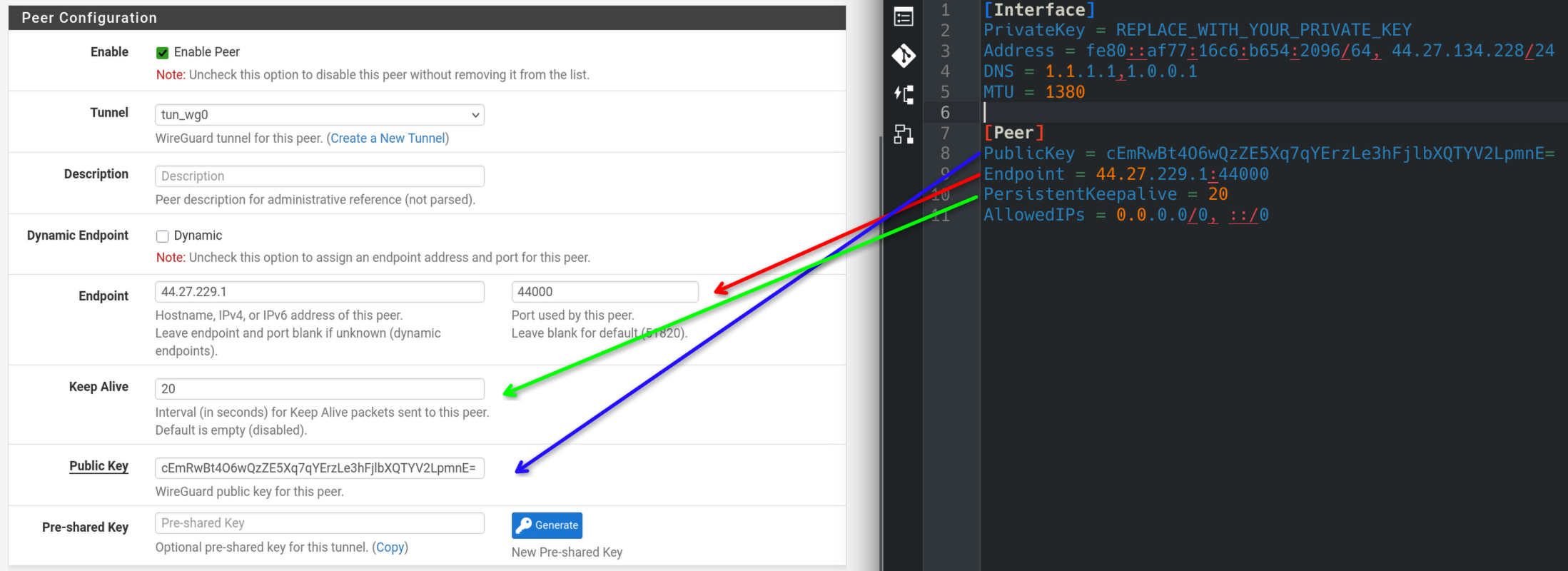
304 KB | A side-by-side view of the PFsense WireGuard peer configuration page and a wg-quick configuration file. Red arrows show where to copy allowed IPs from the configuration file to the PFsense configuration page. | 1 |
| 00:02, 14 July 2026 | Pfsense peer configuration.png (file) |  |
433 KB | Updated to version with arrows instead of numbered dots | 2 |
| 18:08, 13 July 2026 | Pfsense interface.png (file) |  |
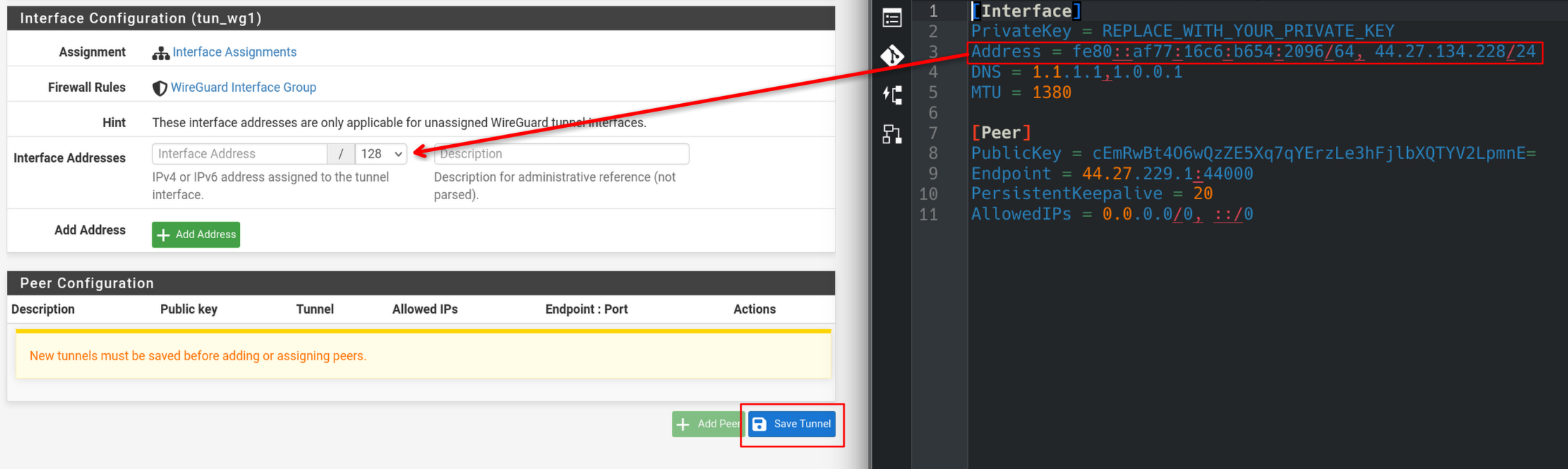
331 KB | A side-by-side view of the PFsense WireGuard interface configuration page, and a wg-quick config file opened in the Kate text editor. A red arrow indicates where one should copy the IP addresses from the config file into the configuration page. | 1 |
| 17:52, 13 July 2026 | Pfsense generate keypair.png (file) |  |
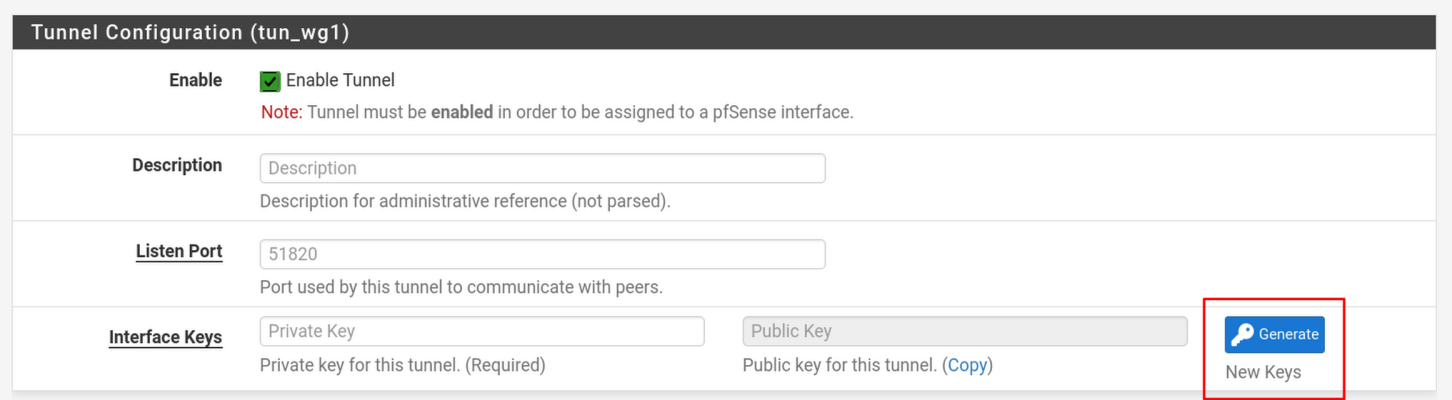
111 KB | A screenshot of the PFsense WireGuard tunnel configuration page. The button to generate a new WireGuard keypair is highlighted with a red box. | 1 |
| 17:33, 8 July 2026 | Opnsense wireguard status.png (file) |  |
55 KB | A screenshot of the OPNsense WireGuard status page. Both the interface and the peer show green checkmarks in the status column. | 1 |
| 17:26, 8 July 2026 | Opnsense enable instance.png (file) |  |
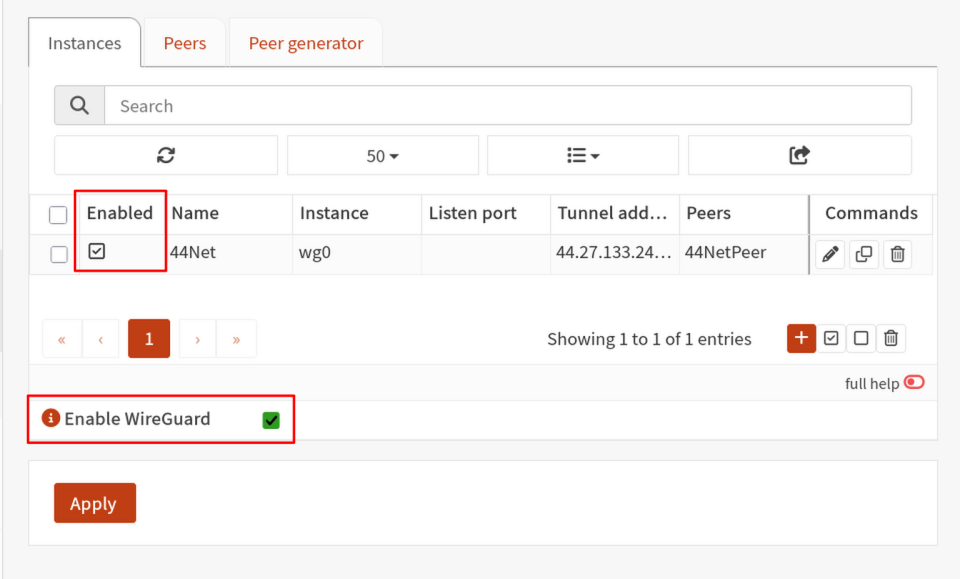
81 KB | A screenshot of the OPNsense WireGuard instances page, with the "Enable WireGuard" checkbox and enable instance checkbox highlighted with red rectangles. | 1 |
| 22:52, 7 July 2026 | Opnsense populate peer keepalive addresses.png (file) |  |
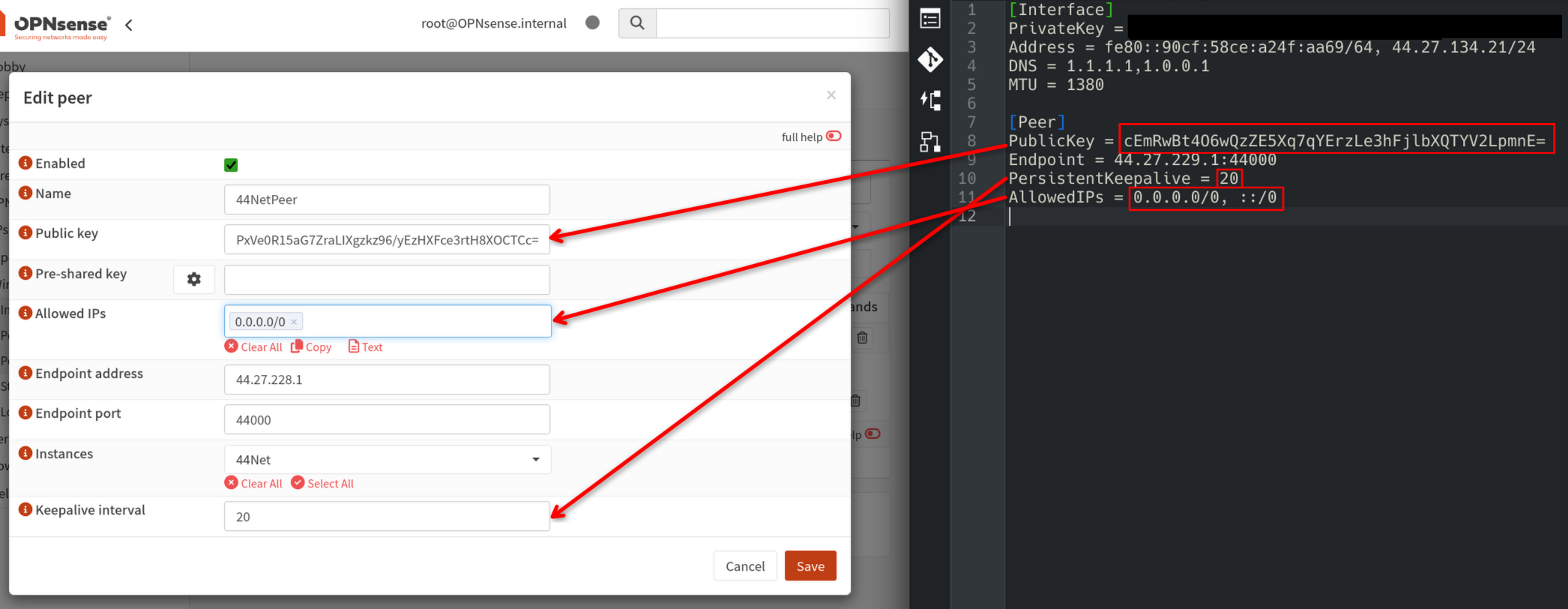
326 KB | A side by side screenshot of the OPNsense peer configuration dialogue next to a WireGuard configuration file. Red arrows indicate where to copy the public key, keepalive interval, and allowed IPs from the config file to the OPNsense configuration dialogue. | 1 |
| 22:29, 7 July 2026 | Opnsense populate peer endpoint.png (file) |  |
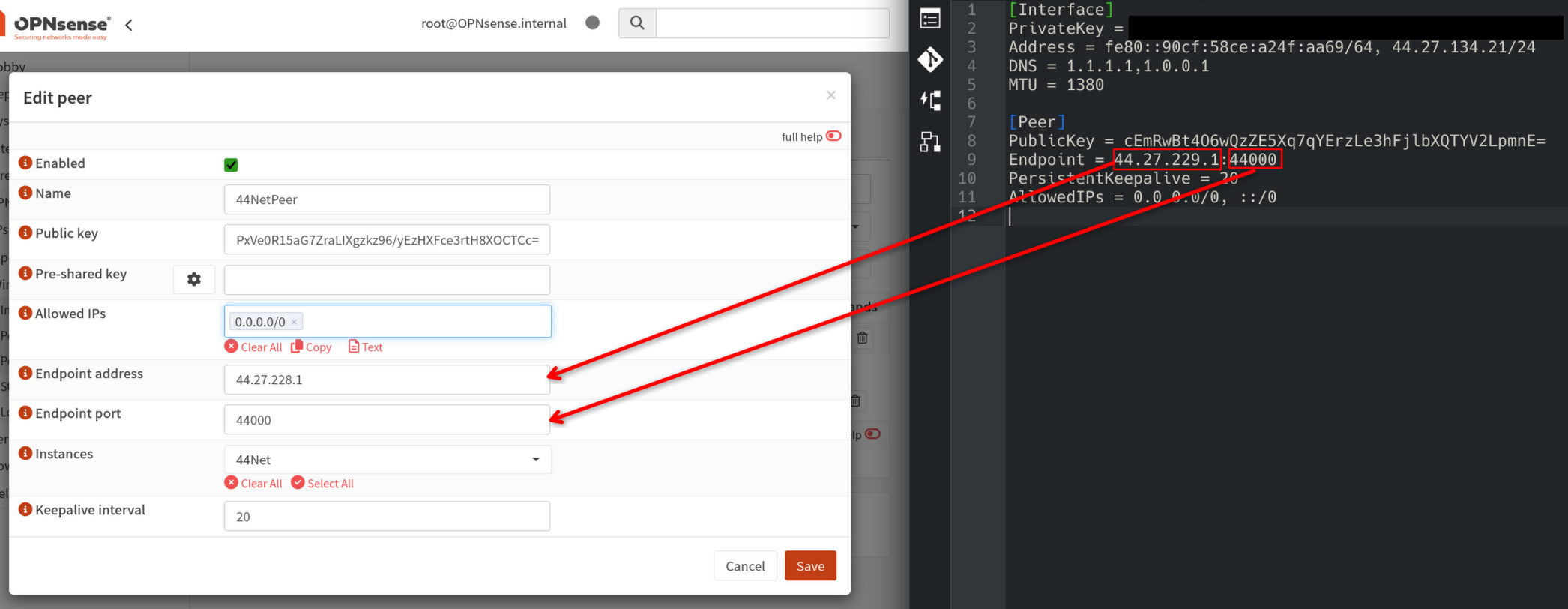
316 KB | A side by side screenshot of the OPNsense peer configuration dialogue next to a WireGuard configuration file. Two red arrows indicate where to copy the endpoint IP and port from the config file to the OPNsense configuration dialogue. | 1 |
| 21:57, 7 July 2026 | Opnsense populate instance.png (file) |  |
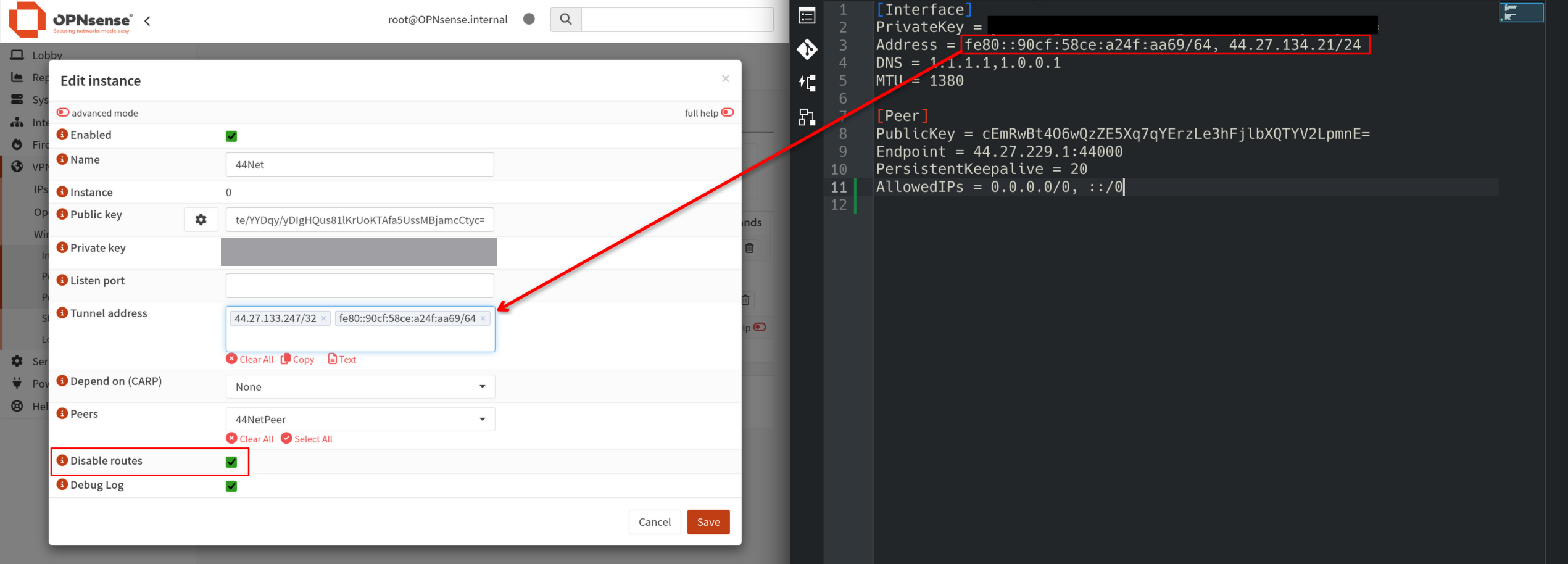
367 KB | A screenshot with a side by side view of a WireGuard config file and an OPNsense WireGuard instance configuration page. A red arrow indicates how to copy the tunnel addresses from the config file to the OPNsense configuration page. A red rectangle indicates that the user should check the "Disable Routes" box. | 1 |
| 18:44, 7 July 2026 | Request tunnel 44net connect.png (file) |  |
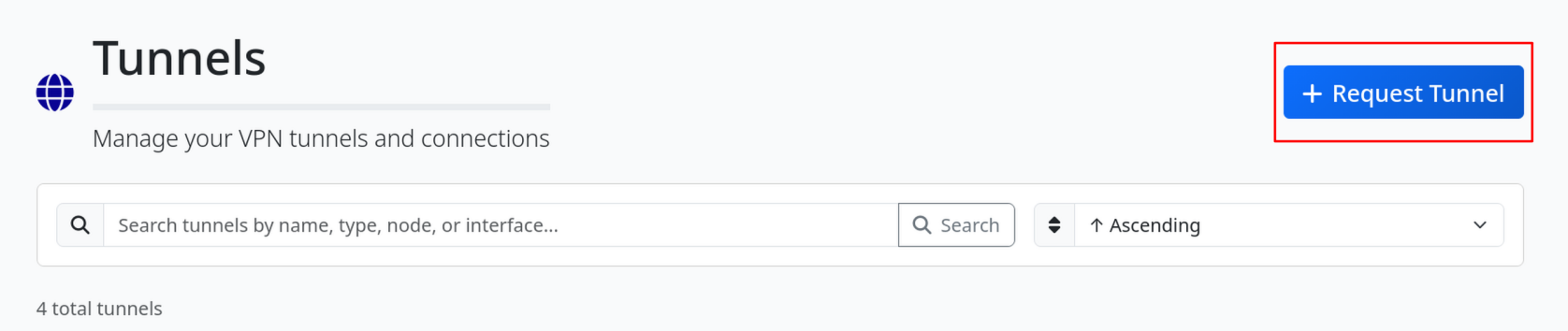
85 KB | Screenshot of the 44Net Connect tunnel page header with the Request Tunnel button highlighted in a red box. | 1 |
| 17:50, 7 July 2026 | Opnsense keypair generation.png (file) |  |
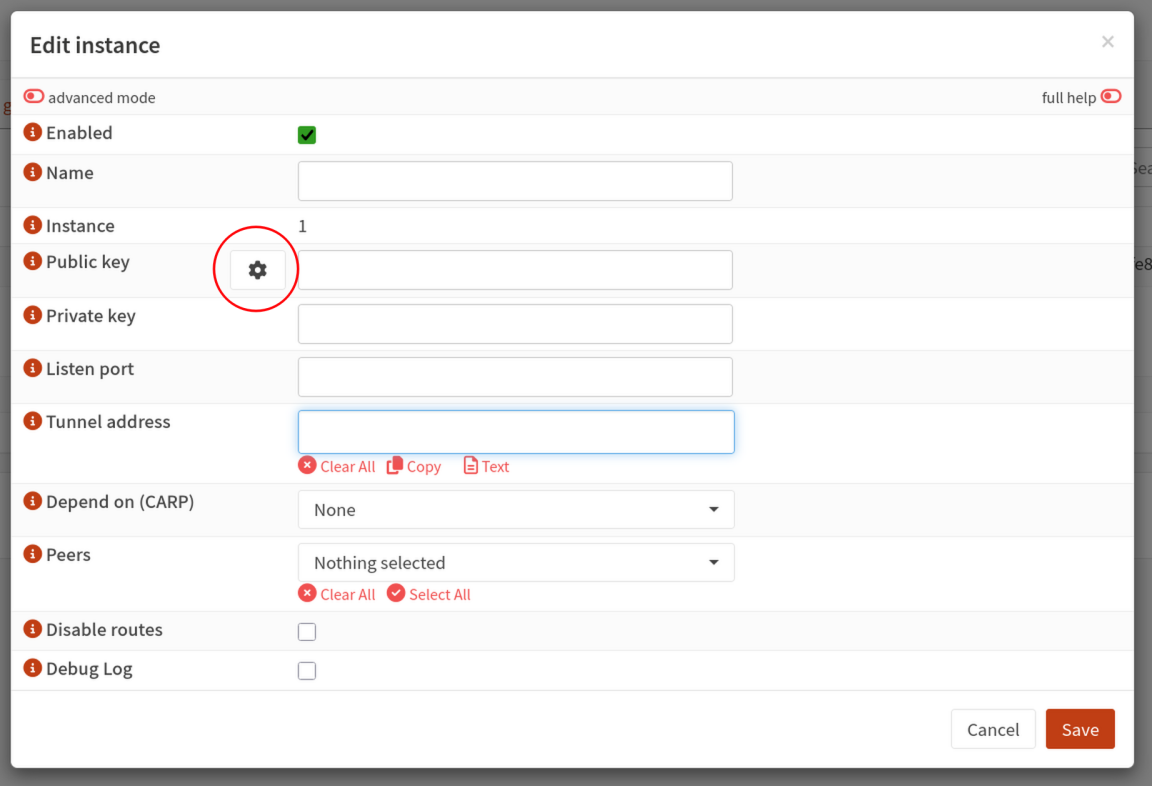
113 KB | A screenshot of the OPNsense Edit Instance dialogue with the button for generating a WireGuard keypair circled in red. | 1 |
| 21:25, 4 June 2026 | Routed subnet.png (file) |  |
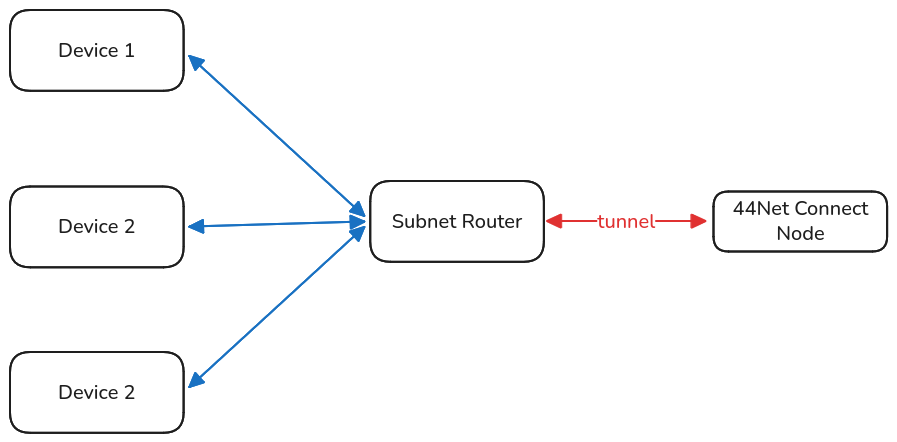
38 KB | A network topology diagram illustrating three hosts connecting to a single 44Net node via a routed subnet. The three devices connect to the subnet router, which uses a WireGuard tunnel to connect to the 44Net node. | 1 |
| 21:05, 4 June 2026 | Single device tunnel.png (file) |  |
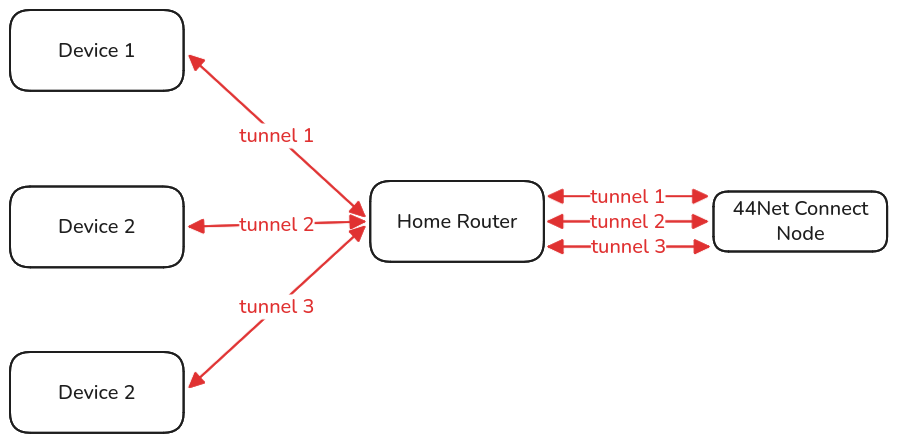
48 KB | A diagram showing the network topology of three devices, each connecting to the same 44Net node via their own tunnel. | 1 |
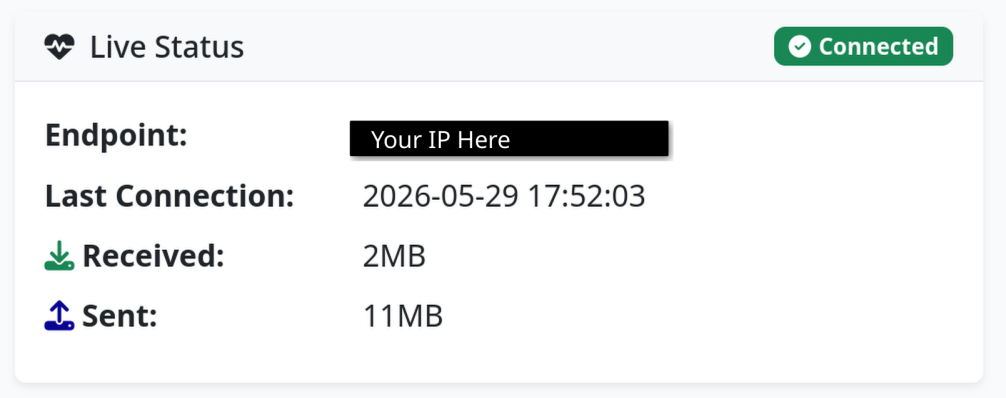
| 18:31, 29 May 2026 | Wireguard tunnel connected.png (file) |  |
79 KB | A screenshot of the 44Net Connect page for a single device WireGuard tunnel, showing that the device is connected. The "Endpoint" field is blacked out and overwritten with "Your IP Here." | 1 |
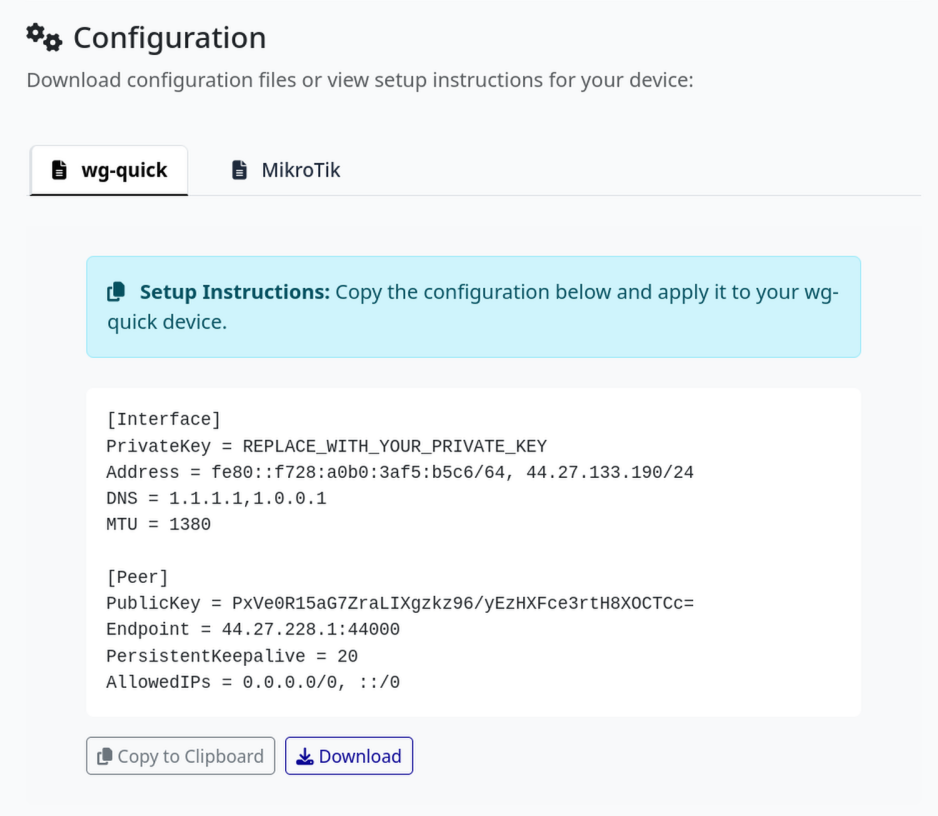
| 17:38, 29 May 2026 | Wireguard tunnel config.png (file) |  |
193 KB | A screenshot of a WireGuard tunnel config from the 44Net Connect website. | 1 |